Create Application
To create a new application, click + Create New Application on the Application List page.
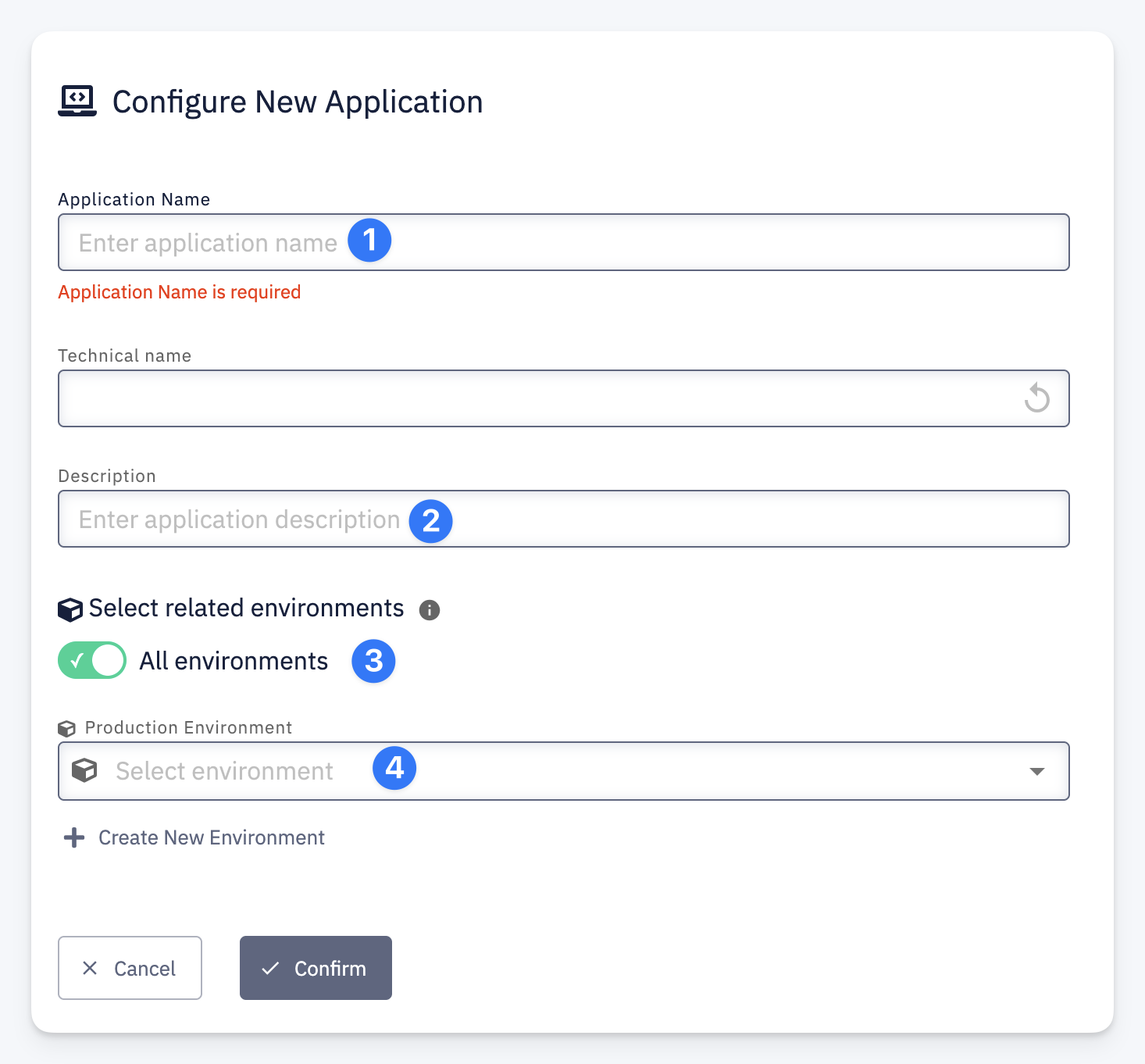
- Application Name — a human-readable name for the application. Technical Name is derived automatically from the application name and is used as the internal identifier in pipelines and configurations. You can reset it to the auto-generated value using the reset button.
- Description — an optional description of the application.
- Select related environments — toggle All environments to make this application available in all environments. If disabled, you can select specific environments from the list.
- Production Environment — designate which environment is treated as production. This affects DORA metrics calculations and other production-specific indicators. Use + Create New Environment if the target environment does not exist yet.
Click Confirm to create the application.