User Activity Log
The User Activity Log provides a per-user view of all development activities performed in CodeNOW. The log tracks the following activity types:
- Commits — code commits pushed to application component repositories
- Builds — component build executions
- Packages — application package versions created
- Configurations — deployment configuration changes
- Deployments — application deployment actions
Activity reports are accessible to users with the Owner or Admin role, or to users assigned the Report Viewer account permission group.
Views
The activity log supports three time granularities — Day, Month, and Year — switchable via the toggle in the header.
Month view
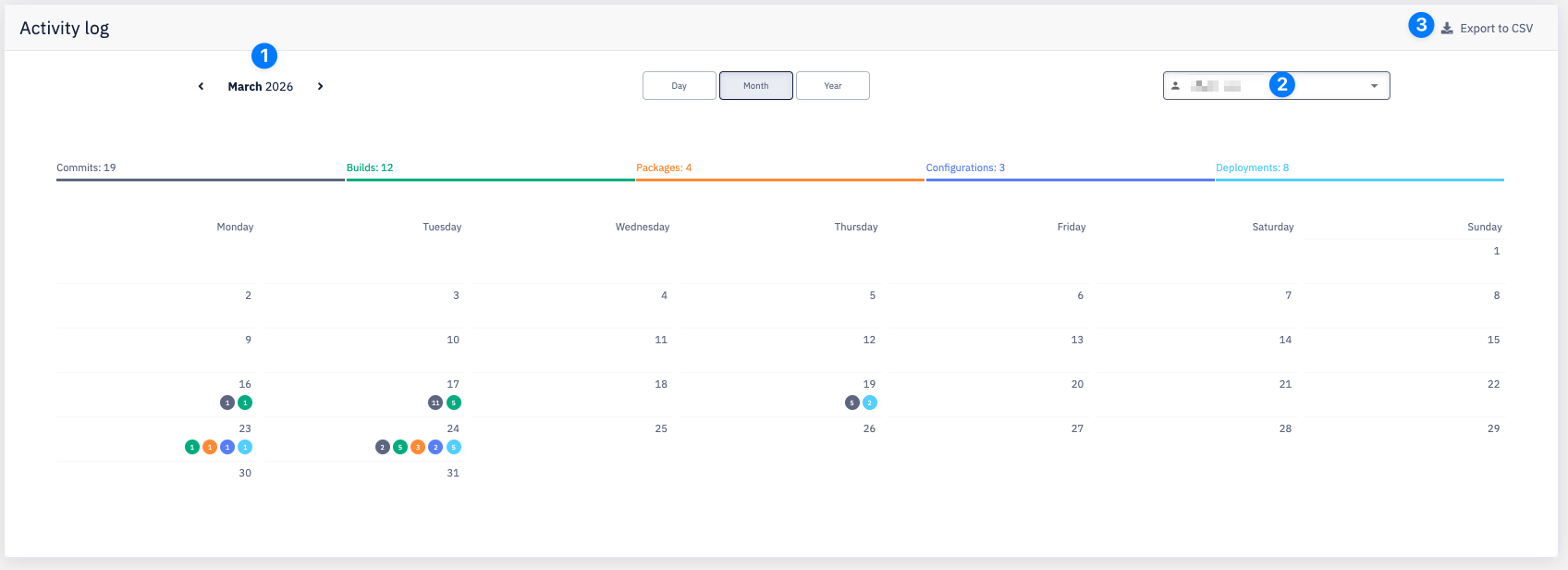
| # | Element | Description |
|---|---|---|
| 1 | Period navigation | Navigate between months using the arrows. The current month and year are shown in the header. |
| 2 | User selector | Select the user whose activity to display. |
| 3 | Export to CSV | Download the currently displayed activity data as a CSV file. |
The calendar shows activity dots per day. Each dot corresponds to one activity type (color-coded: commits, builds, packages, configurations, deployments). Click a day to switch to the Day view for that date.
Year view
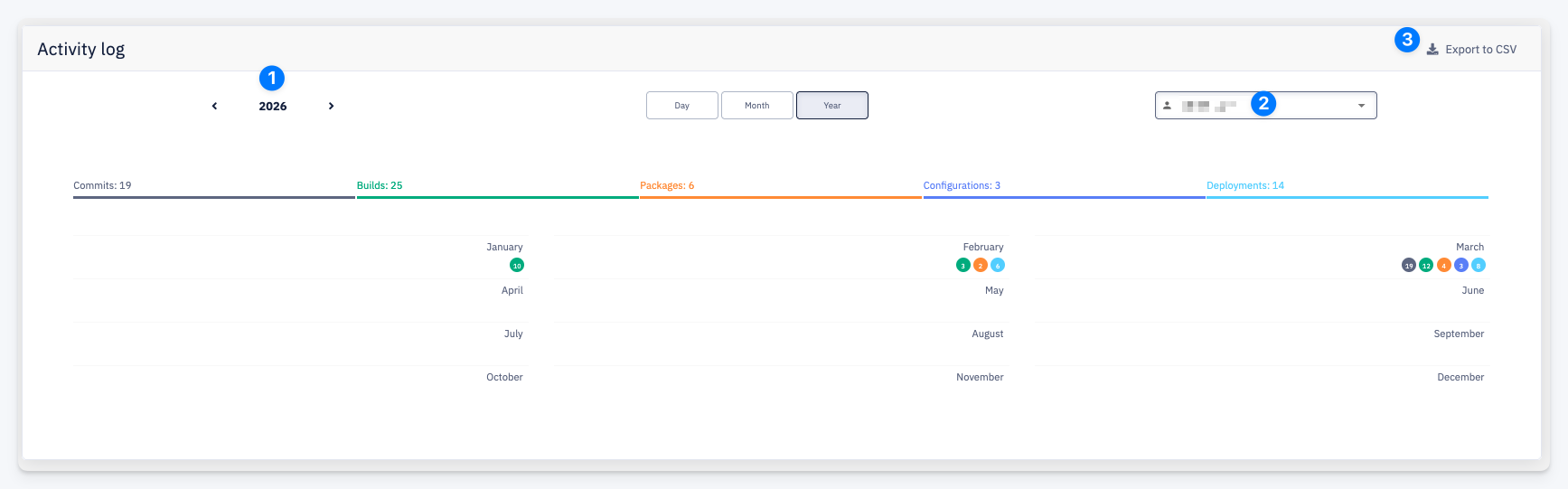
| # | Element | Description |
|---|---|---|
| 1 | Period navigation | Navigate between years using the arrows. |
| 2 | User selector | Select the user whose activity to display. |
| 3 | Export to CSV | Download the currently displayed activity data as a CSV file. |
The summary bar at the top shows the total count for each activity type across the selected year. The grid displays activity dots per month.
Day view
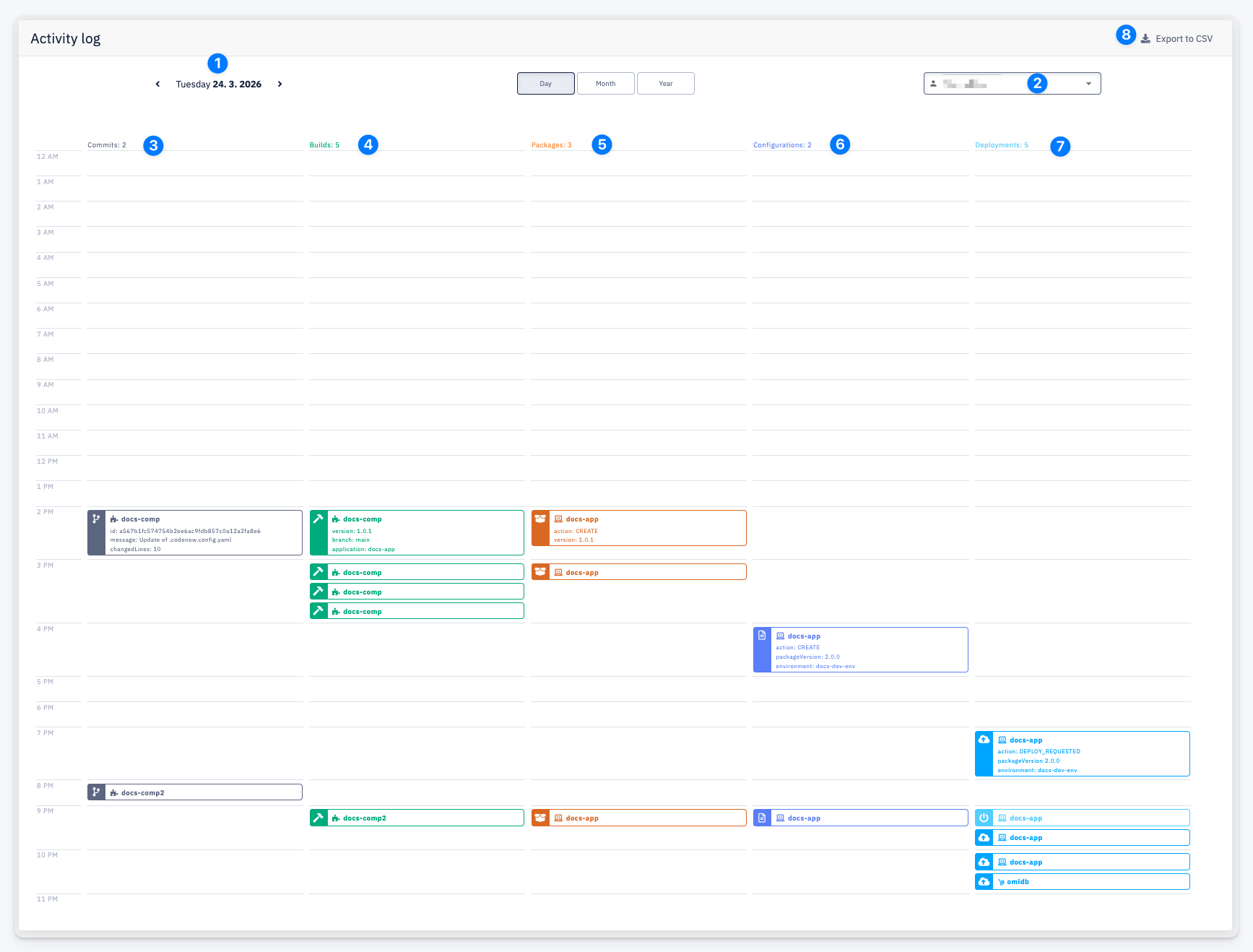
| # | Element | Description |
|---|---|---|
| 1 | Period navigation | Navigate between days using the arrows. The current date is shown in the header. |
| 2 | User selector | Select the user whose activity to display. |
| 3 | Commits | Total number of commits for the selected day. |
| 4 | Builds | Total number of builds triggered for the selected day. |
| 5 | Packages | Total number of packages created for the selected day. |
| 6 | Configurations | Total number of deployment configuration changes for the selected day. |
| 7 | Deployments | Total number of deployment actions for the selected day. |
| 8 | Export to CSV | Download the currently displayed activity data as a CSV file. |
The timeline shows individual activity entries placed at the hour they occurred. Each entry is color-coded by type and includes additional detail — for example, commits show the repository, commit id, message, and changed lines; builds show the component, version, and branch.