Keys & Tokens
The Keys & Tokens page manages all credentials associated with your user profile — SSH keys for Git access, artifact repository tokens, and API keys.
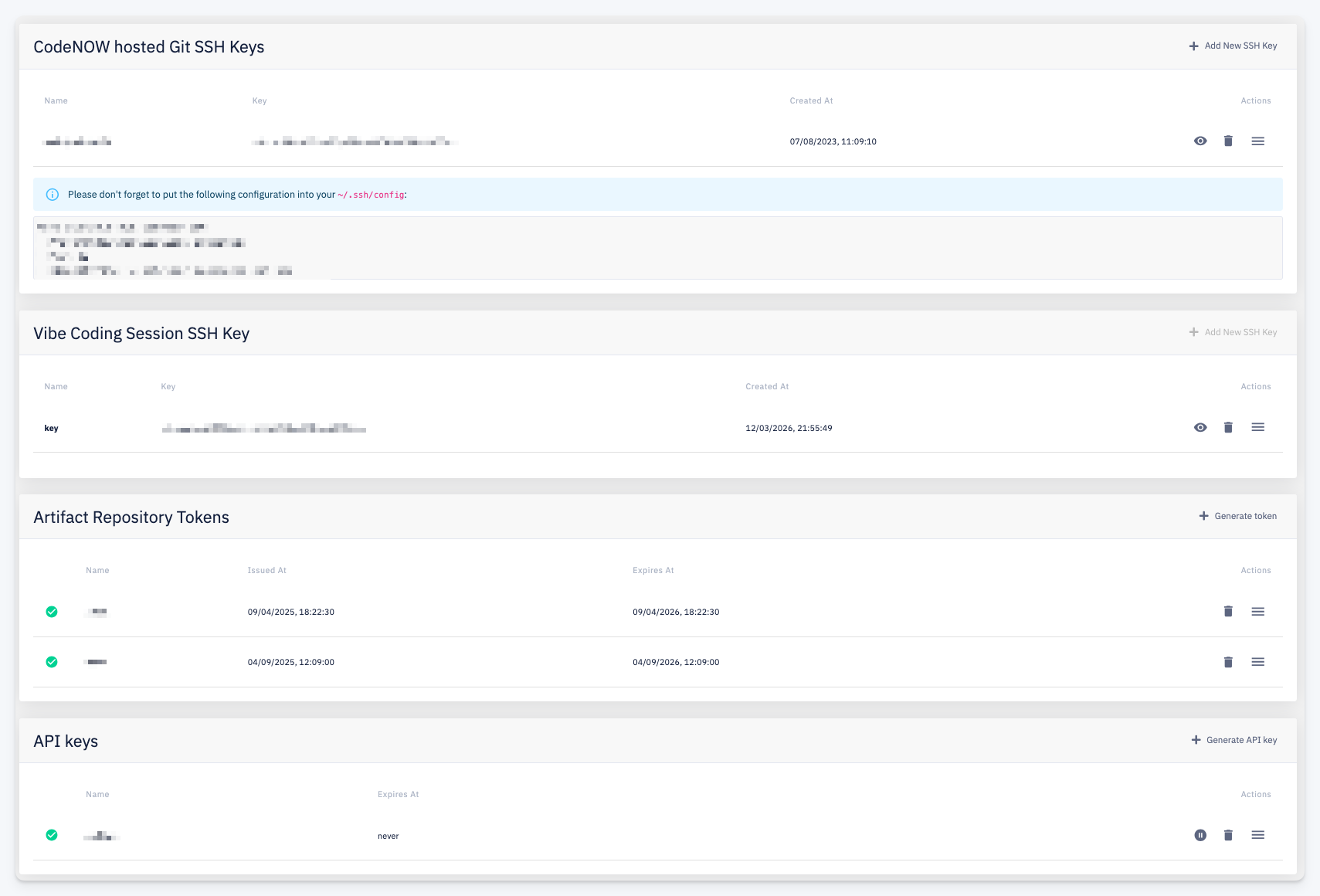
CodeNOW Hosted Git SSH Keys
SSH keys used for authenticating to CodeNOW-hosted Git repositories. Each row shows the key Name, a truncated Key value, and Created At timestamp.
After adding a key, an info box displays the required ~/.ssh/config configuration snippet to use the key correctly.
Use + Add New SSH Key to register a new public key. Actions per row: View the full public key, Delete, More.
Vibe Coding Session SSH Key
SSH keys used for Vibe Coding sessions. The table has the same structure as CodeNOW Hosted Git SSH Keys.
Use + Add New SSH Key to add a key for Vibe Coding sessions.
Artifact Repository Tokens
Personal tokens for authenticating to CodeNOW hosted artifact repositories as the current user.
| Column | Description |
|---|---|
| Name | Token label |
| Issued At | When the token was generated |
| Expires At | Token expiration date |
Use + Generate token to create a new artifact repository token. Actions per row: Delete, More.
API Keys
Personal API keys for authenticating to the CodeNOW API as the current user.
| Column | Description |
|---|---|
| Name | Key label |
| Expires At | Expiration date (never if the key does not expire) |
Use + Generate API key to create a new API key. Actions per row: Suspend — temporarily disable the key; Delete; More.