Create External Service
Creating an external service is a two-step wizard.
Step 1 — Template Selection
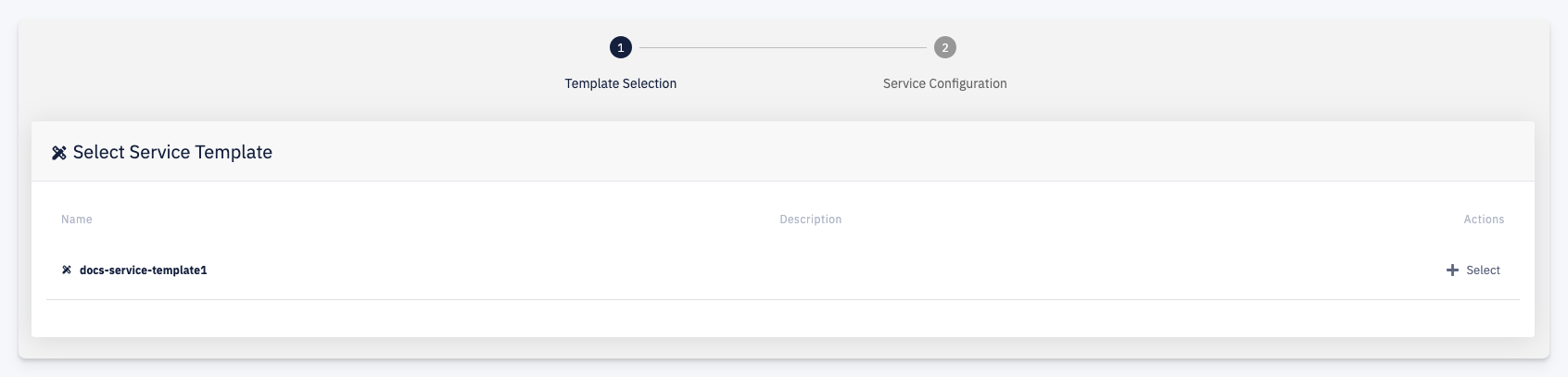
Select the External Service Template that defines the variables your service will have. Click + Select next to the desired template to proceed.
Step 2 — Service Configuration
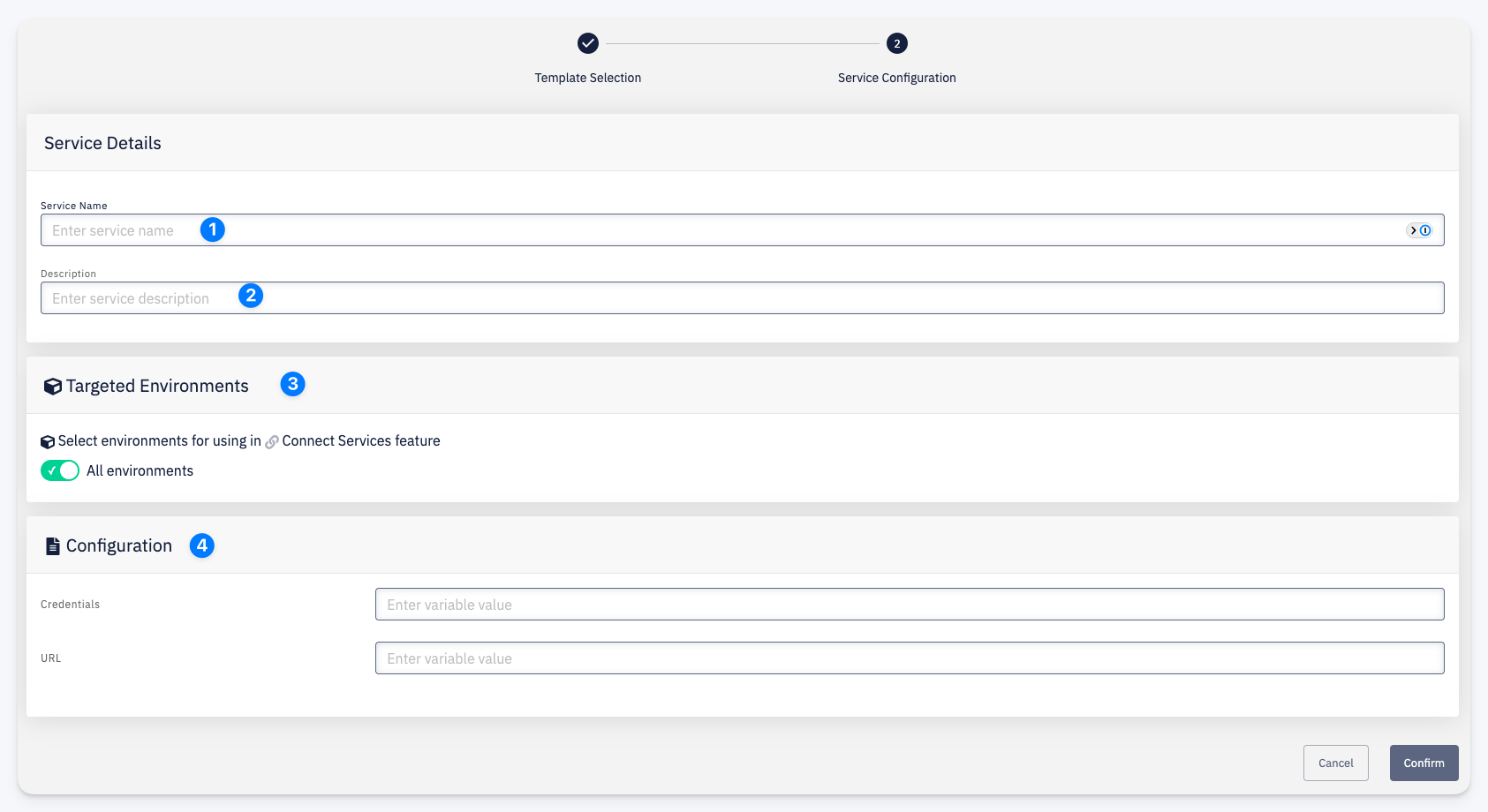
- Service Name — a unique name for this service instance
- Description — an optional description
- Targeted Environments — select which environments this service will be available in for the Connect Services feature. Toggle All environments to make it available in all environments.
- Configuration — fill in the values for each variable defined by the selected template
Click Confirm to create the service.