Dry Run
A Dry Run validates the full lifecycle of an App Component Template. Starting a Dry Run launches a Custom Template Dry Run job that goes through every phase a real component would go through:
- A temporary Application is created
- A temporary Application Component is scaffolded from the template using the selected branch and the provided Template Configuration
- A temporary Environment is created
- A Preview Build is triggered — the component is built and deployed to the temporary environment
This covers the entire lifecycle from component creation through build to runtime behavior, making it possible to catch issues at any phase before the template is published.
As long as the Dry Run is running, all temporary resources remain available. You can inspect the deployed component, debug issues, and apply fixes directly back to the template repository or other template settings. Once you are satisfied, you can stop the Dry Run — the temporary resources are then cleaned up automatically.
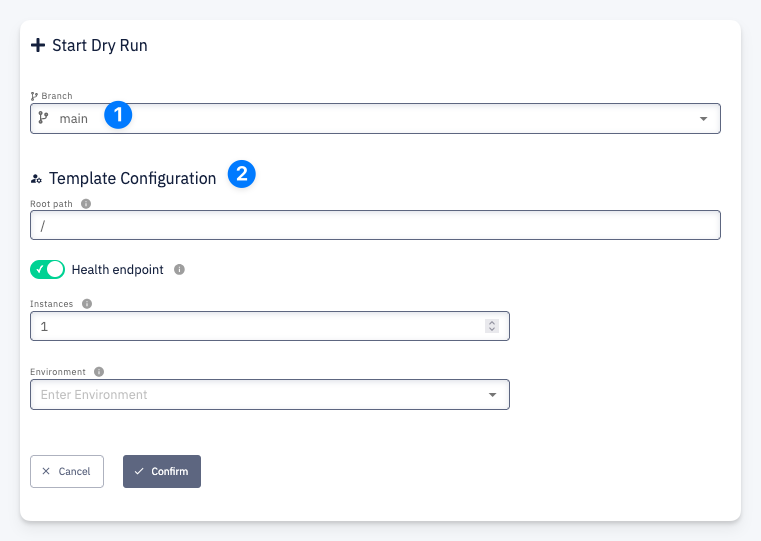
Open the Dry Run dialog via Choose Action > Dry Run or the Dry Run shortcut on the Template Detail page.
| # | Field | Description |
|---|---|---|
| 1 | Branch | The template repository branch to scaffold the component from |
| 2 | Template Configuration | The component configuration form defined by the template's Component Configuration properties |