Edit Label
The Edit form allows you to manage which resources are attached to a label. It is accessible from the Label Detail via Choose Action > Edit or the Edit button in the Attached Resources section.
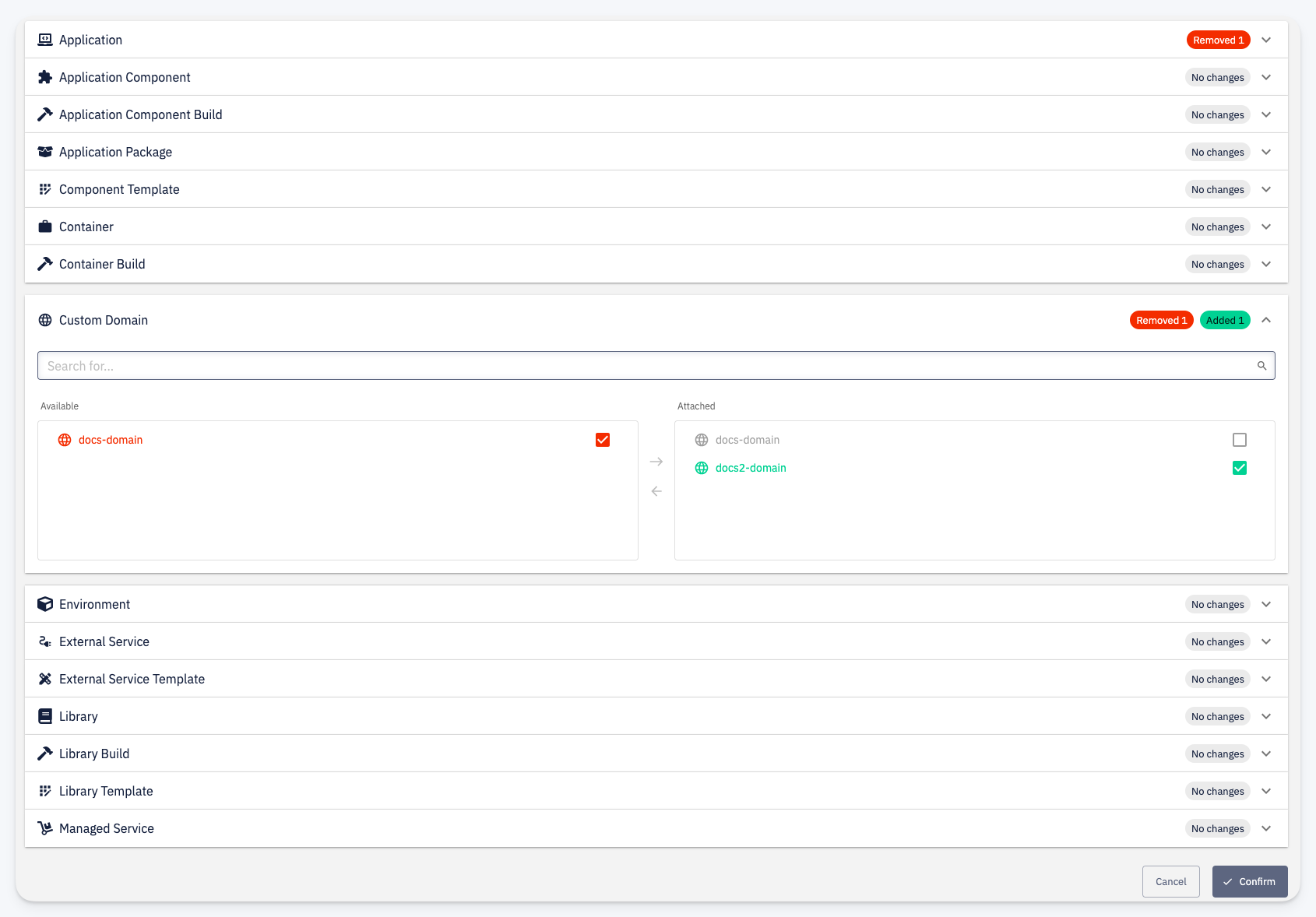
Only resources that you have permission to label are shown in this form.
Resources are organized by type (Application, Application Component, Environment, Custom Domain, Library, Managed Service, and others). Each type is collapsed by default and can be expanded to manage its attachments.
For each expanded resource type, you see two columns:
- Available — resources of this type that are not yet attached to the label
- Attached — resources currently attached to the label
Use the checkboxes and the arrow buttons between the columns to move resources between the two sides. A badge next to each type header shows the number of pending additions (Added) and removals (Removed).
Click Confirm to apply the changes. This triggers a Resource Labels job that propagates the label changes across all affected resources.