Templates
The Templates section allows account admins to control which App Component Templates and Library Templates are available when creating new resources within the account. Both built-in CodeNOW templates and custom-created templates appear in this list and can be individually enabled or disabled.
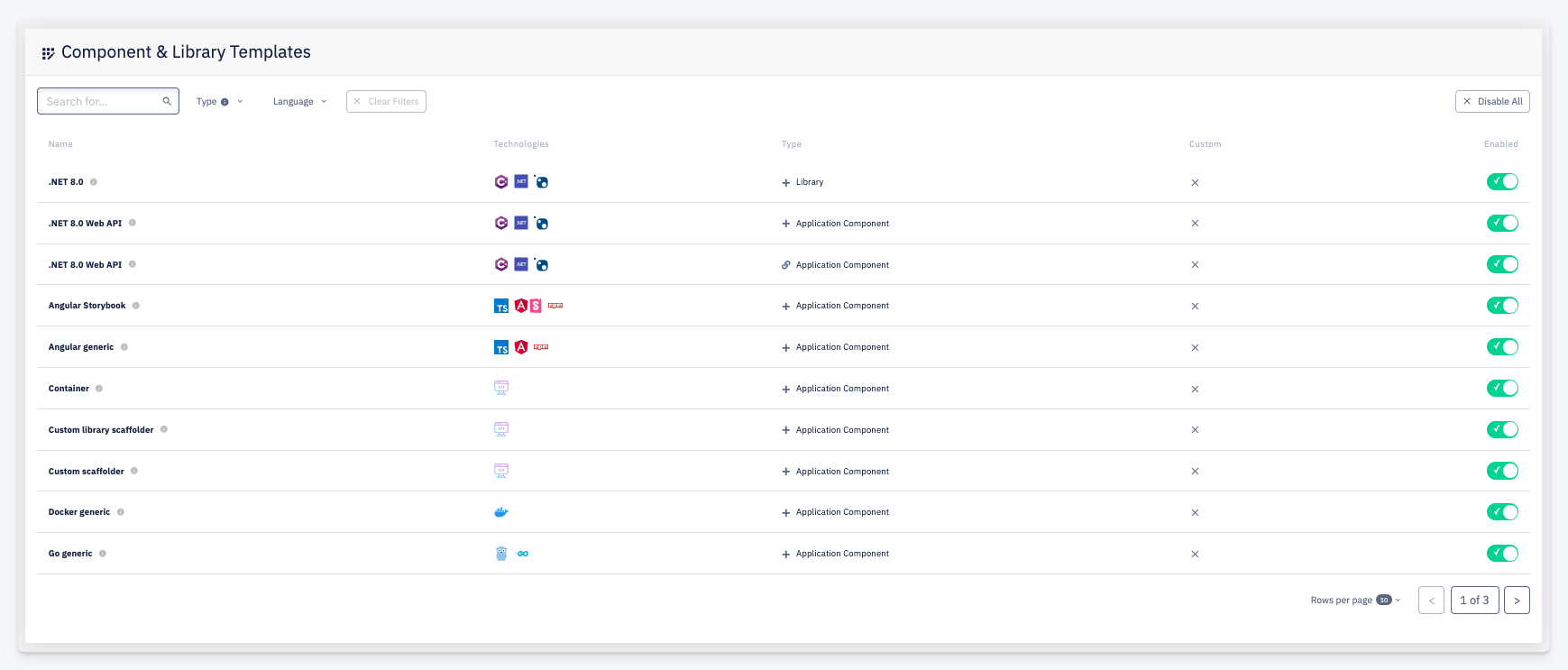
Component & Library Templates
The table lists all templates available to the account:
| Column | Description |
|---|---|
| Name | Template name; hover the info icon for a short description |
| Technologies | Technology stack icons associated with the template |
| Type | Whether the template creates a Library or an Application Component, and the creation mode |
| Custom | Indicates whether the template is a custom template created within the account, or a built-in CodeNOW template |
| Enabled | Toggle to enable or disable the template for the account |
Use Disable All to turn off all templates at once. Filter the list by Type or Language to find specific templates.
note
Disabling a template prevents it from appearing when creating new components. It does not affect components that were already created using that template.