Create Managed Service
Creating a managed service is a two-step wizard launched by clicking + Get New Service on the list page.
Step 1 — Template Selection
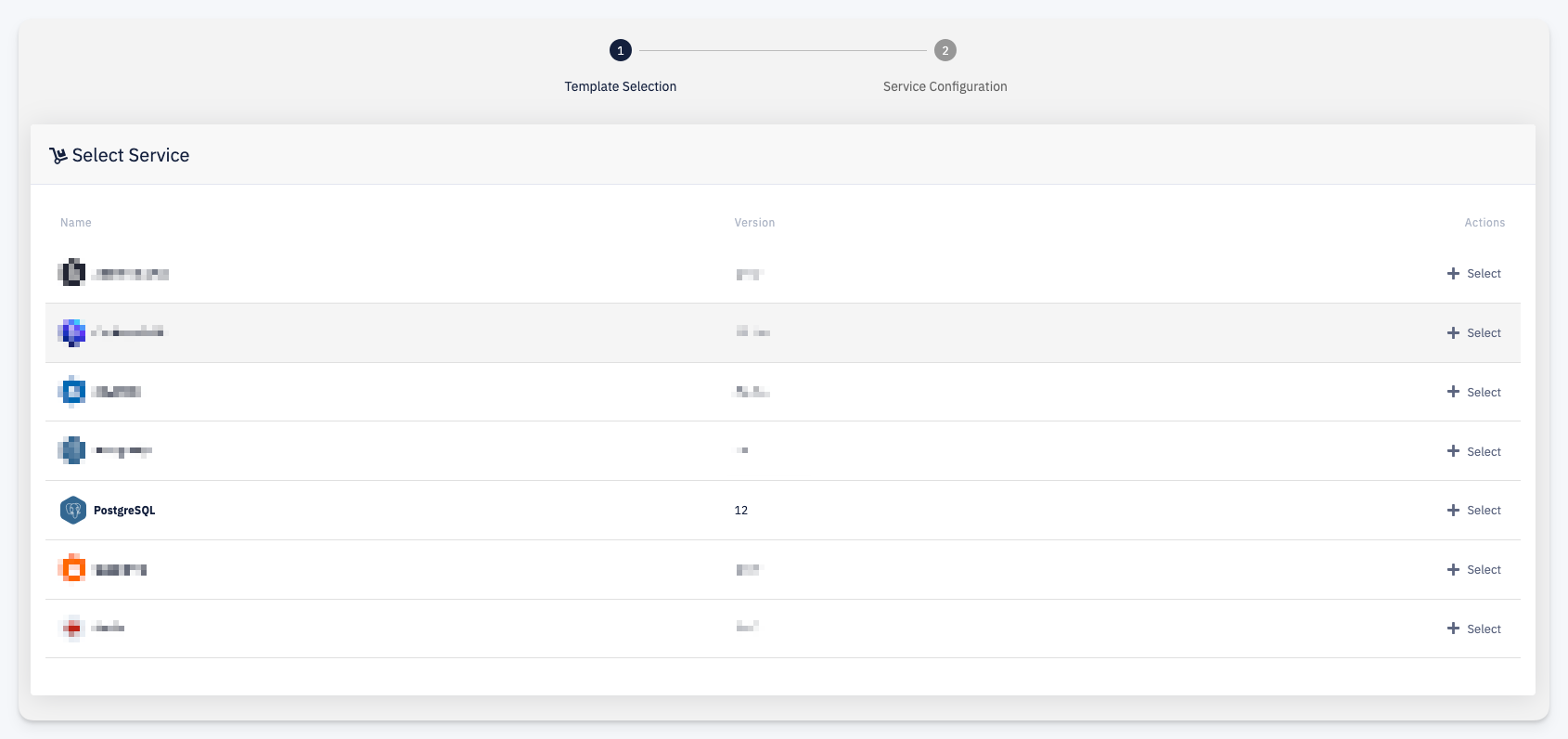
Select the managed service type you want to instantiate. The list shows all managed service templates available in your account, each with its Name and Version. Click + Select next to the desired service to proceed.
info
The available managed services depend on what the administrators of your account have configured. The following steps use PostgreSQL as an example.
Step 2 — Service Configuration
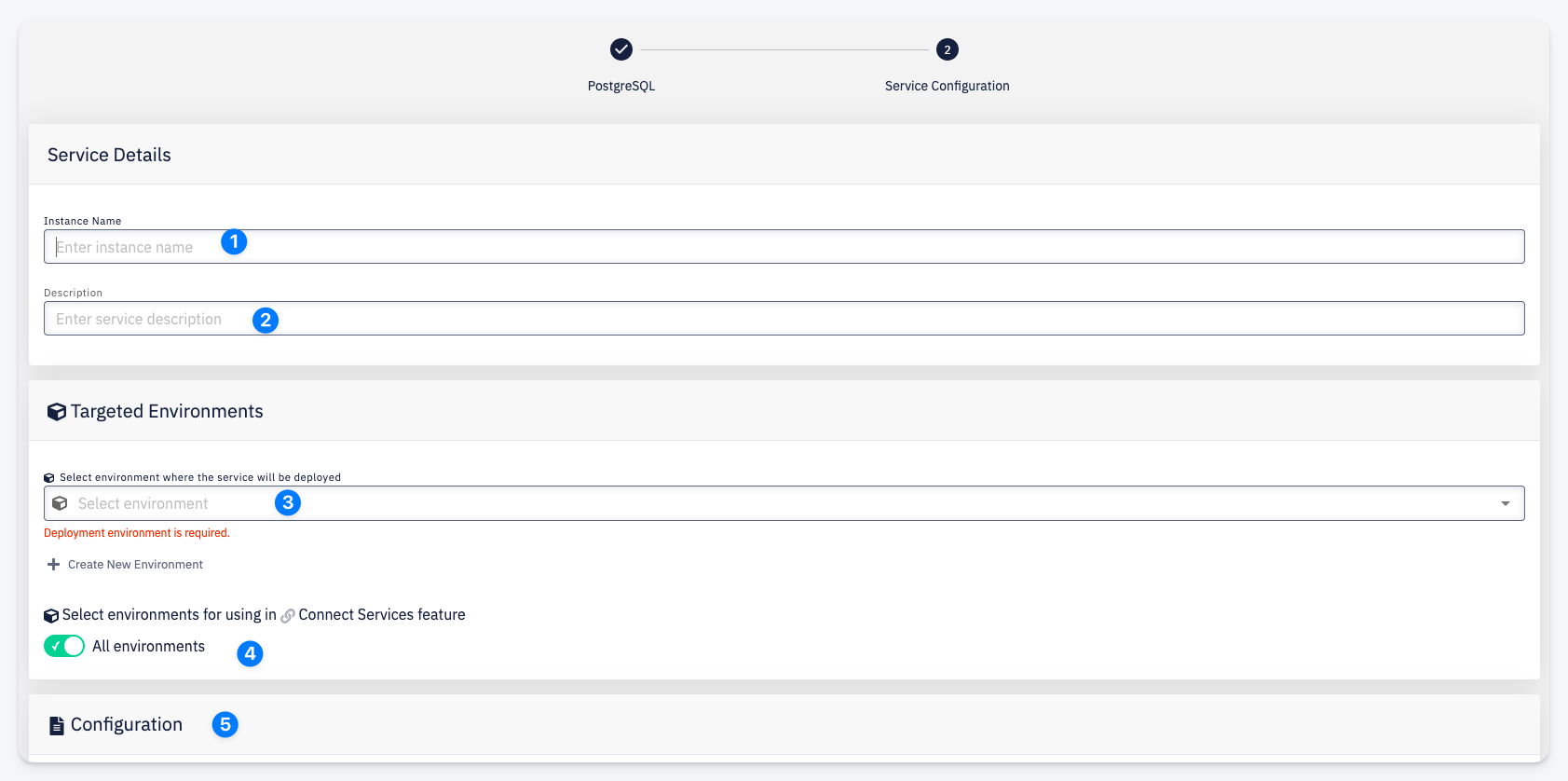
- Instance Name — a unique name for this service instance
- Description — an optional description
- Deployment Environment — the environment where the service will be deployed and run. Only environments on which you have the Deployer or Admin role are listed. Use + Create New Environment if the target environment does not exist yet.
- Accessible from Environments — select which environments can connect to this service via the Connect Services feature. Toggle All environments to make it available everywhere.
- Configuration — service-specific configuration parameters (e.g. resource limits, version settings). The available fields depend on the selected service type.
Click Confirm to provision the service.