Template Card
The Template Card defines how the template appears to developers in the template picker when creating a new Application Component. Here you configure the name, technology stack, and description that make up the card — exactly as the developer will see it during component creation.
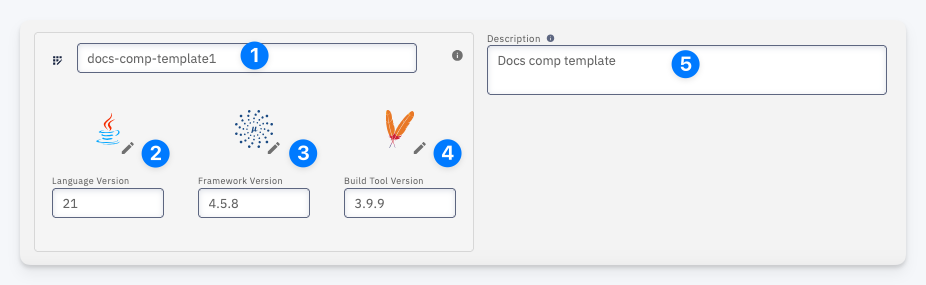
| # | Field | Description |
|---|---|---|
| 1 | Template Name | The name of the template as shown in the template picker during component creation |
| 2 | Language Version | The programming language version (click the pencil to change the language) |
| 3 | Framework Version | The framework version (click the pencil to change the framework) |
| 4 | Build Tool Version | The build tool version (click the pencil to change the build tool) |
| 5 | Description | A short description of the template shown to developers during component creation |