Application Detail
-
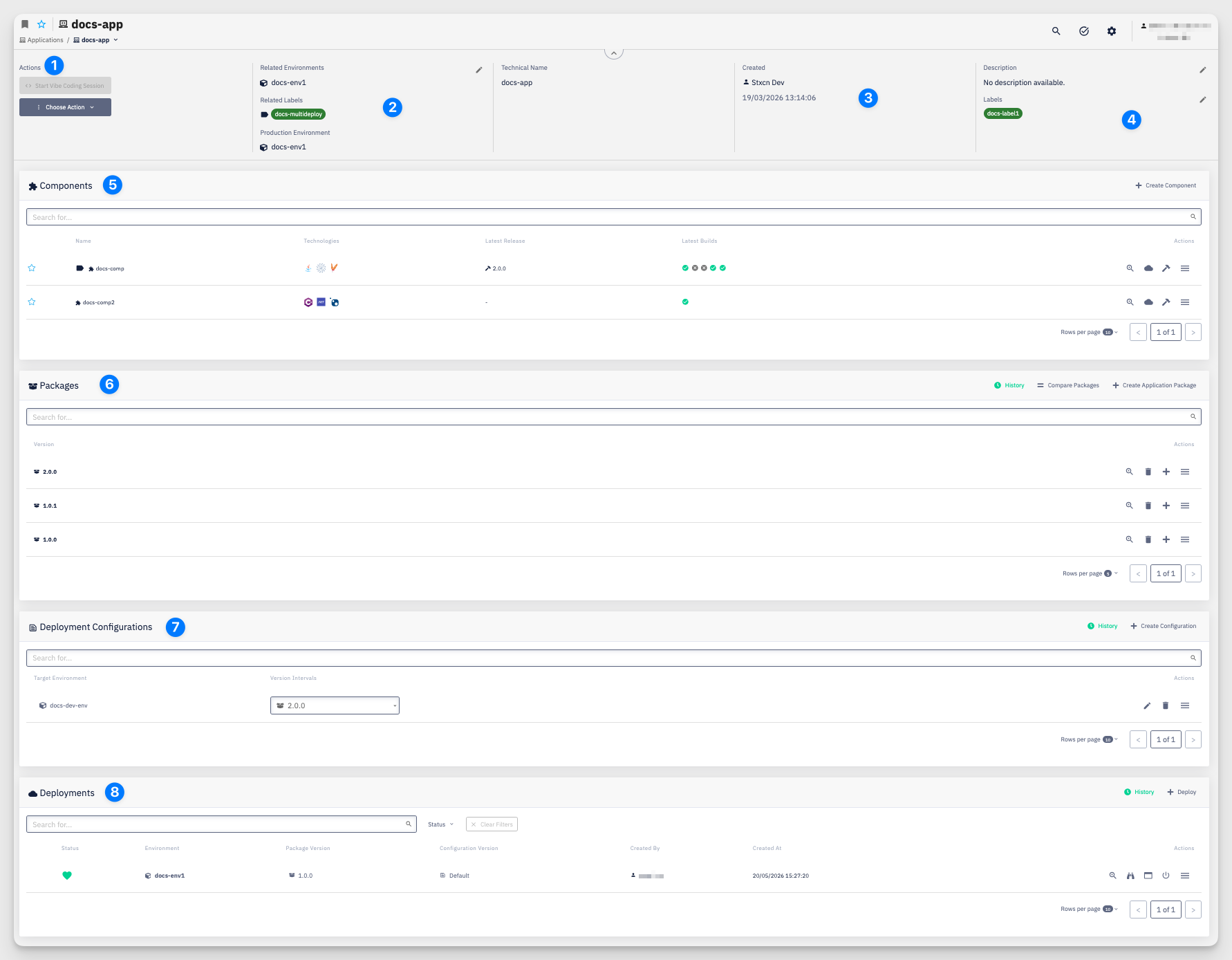
Actions — Start Vibe Coding Session button opens an AI-assisted coding environment for the application. Choose Action menu provides access to:
- Create New Component — add a new application component to this application
- Create New Package — create a new application package
- Create New Configuration — create a new deployment configuration
- Deploy — trigger a deployment of the application to an environment
- Settings > Permissions — manage who can access and modify the application
- Settings > Continuous Delivery — configure quality gates for the application on a target environment
- Delete — permanently remove the application
-
Related Environments / Related Labels / Production Environment — define where the application is available and which environment is treated as production. Related Environments lists the individual environments the application is associated with. Related Labels associates the application with environments through labels, so it becomes available in every environment carrying a matching label. Production Environment designates which environment is treated as production for DORA metrics and other indicators. Use the pencil icon to edit.
-
Technical Name / Created — the internal identifier used in pipelines and configurations, and the user who created the application along with the creation date.
-
Description / Labels — a short description of the application and any labels attached to it.
-
Components — all application components belonging to this application. Columns: Name, Technologies, Latest Release, Latest Builds, Actions. Use + Create Component to add a new component.
-
Packages — versions of the application. Each package captures the set of component versions that make up a specific release. Columns: Version, Actions. Use + Create Application Package to create a new package, Compare Packages to diff two versions, and History to view the full package history.
-
Deployment Configurations — configurations that map package version intervals to a target environment. Columns: Target Environment, Version Intervals, Actions. Use + Create Configuration to add a new one, or History to browse past configurations.
-
Deployments — active and historical deployments of this application. Columns: Status, Environment, Package Version, Configuration Version, Created By, Created At, Actions. Use + Deploy to trigger a new deployment, or History to view the full deployment history.