Create Package
To create a new package, open the application detail and select Choose Action > Create New Package.
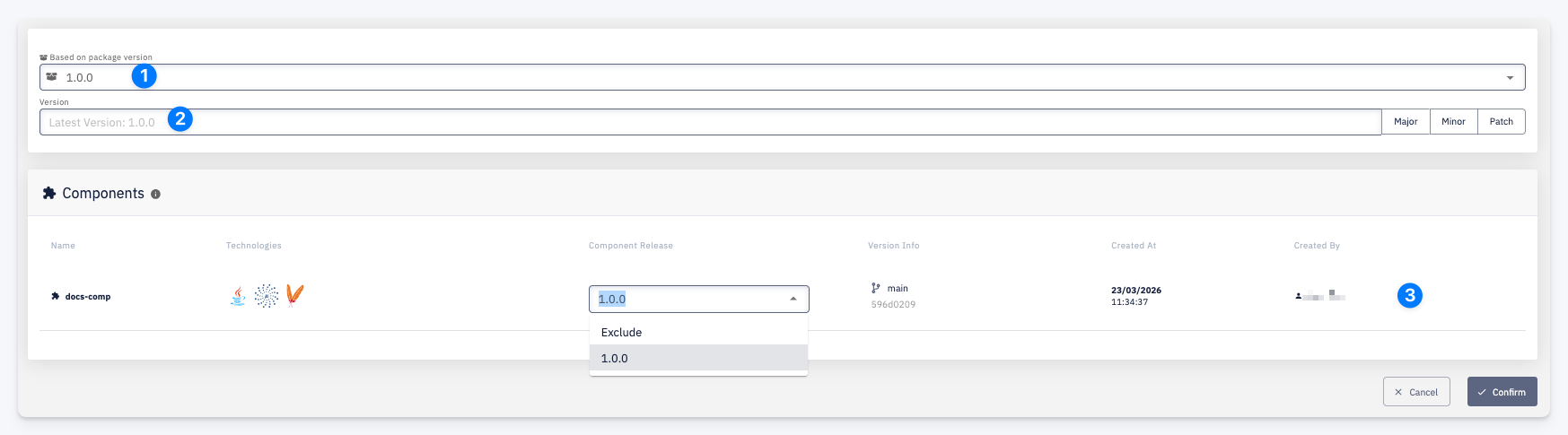
-
Based on package version — select an existing package to use as a base. The component versions from the selected package are pre-filled as the starting point for the new package.
-
Version — the version number for the new package. You can type a version manually or use the Major, Minor, or Patch buttons to increment from the latest version automatically.
-
Components — the list of application components to include in this package. For each component, select the Component Release version to include, or choose Exclude to omit it from this package. The table also shows Version Info (branch and commit), Created At, and Created By for each available release.
Click Confirm to create the package.