Connected Service Detail
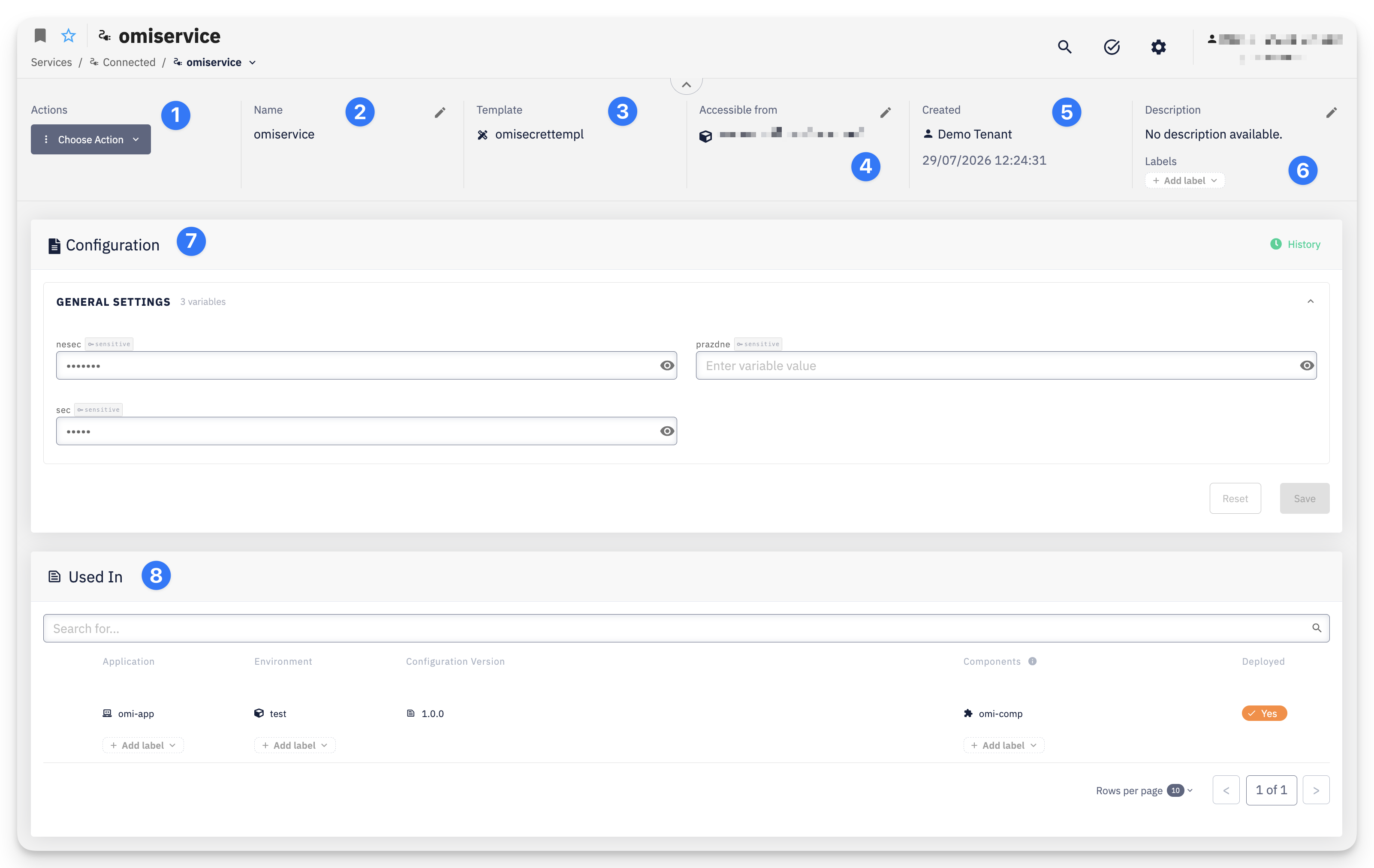
- Actions — Choose Action menu with access to Settings > Permissions and Delete
- Name — the service name, editable via the pencil icon
- Template — the Service Template this service is based on
- Accessible from — a summary of where this instance can be consumed via Connect Services, editable via the pencil icon — see Accessible From
- Created — the user who created the service and the creation date
- Description — a short description of the service; Labels attached to this service
Configuration
The Configuration card shows the values for each variable defined by the template, grouped into sections by category (e.g. General Settings). Sensitive values are masked with a reveal toggle. Use History to view the change history. Edit the values directly and click Save to apply changes, or Reset to discard unsaved edits.
Used In
The Used In card lists the Deployment Configurations that reference this service instance, showing the Application, Environment, Configuration Version, Components, and whether it is currently Deployed.
Accessible From
Editable via the pencil icon next to Accessible from in the header, using the same Related Environments / Related Labels / Related Clusters controls as at creation. See Service Availability for the full rules — Connected Services use all three axes, since (unlike a Hosted Service) they aren't tied to a single cluster.