Create Connected Service
Creating a Connected Service is a two-step wizard.
Step 1 — Template Selection
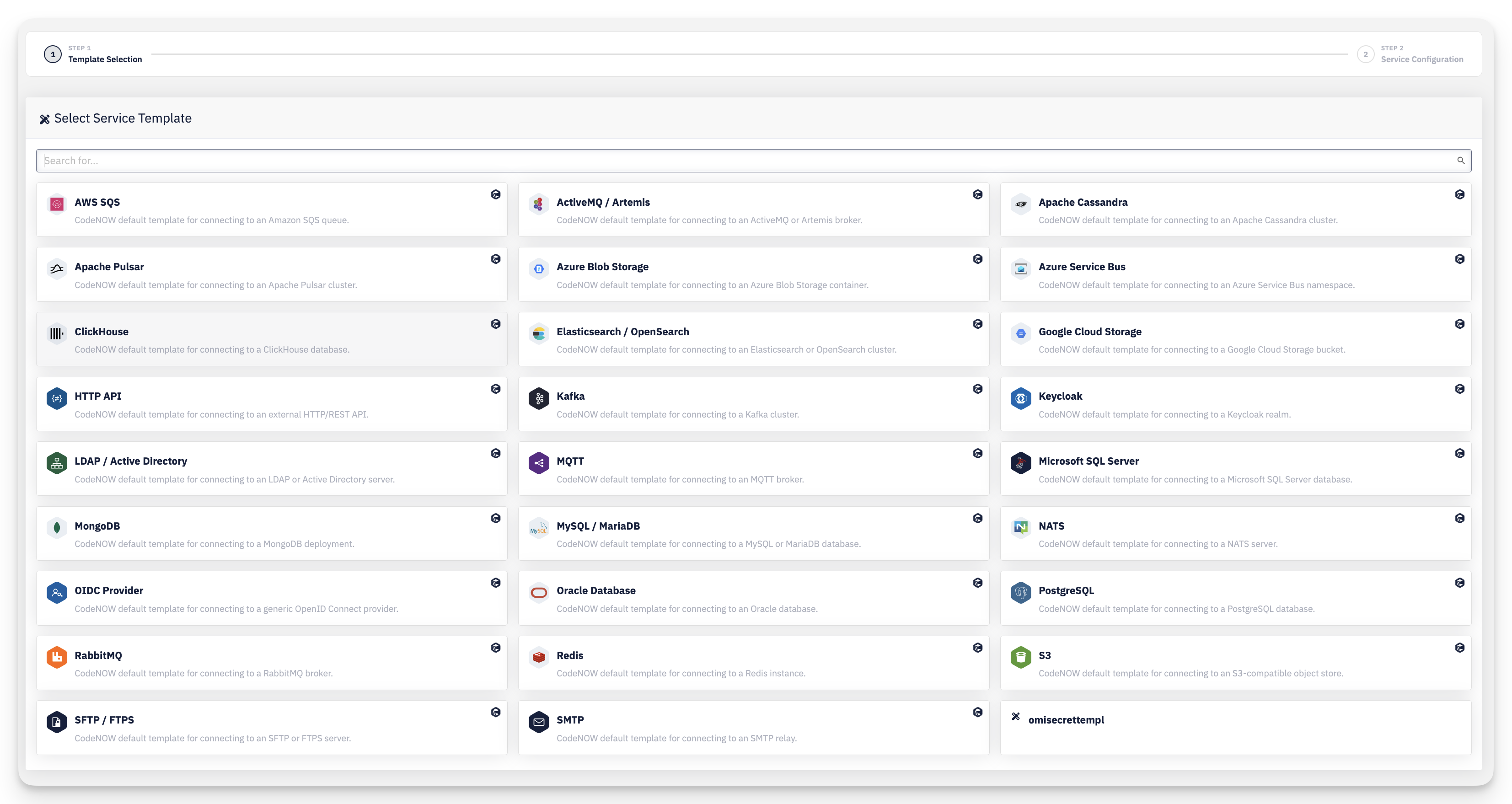
Search and select the Service Template that defines the variables your service will have. The list includes both the read-only CodeNOW default templates (e.g. PostgreSQL, Kafka, S3, HTTP API) and any templates created in your account.
Step 2 — Service Configuration
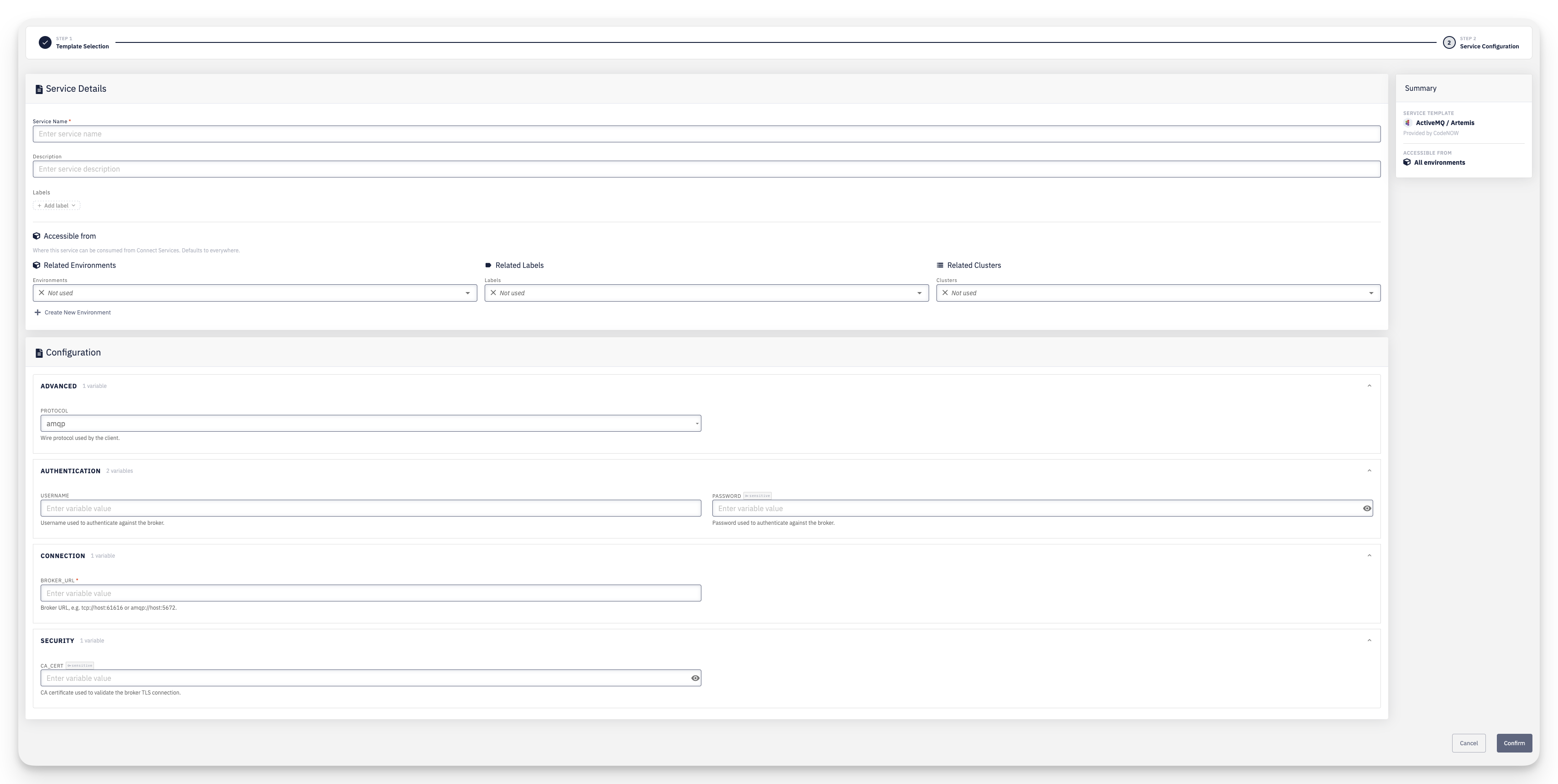
- Service Details — Service Name, an optional Description, and Labels
- Accessible from — optionally restrict which environments, labels, or clusters can connect to this instance via Connect Services right away, instead of configuring it later on the service detail page. Defaults to everywhere (Related Environments, Related Labels, and Related Clusters all left as Not used). See Service Availability for the full rules
- Configuration — fill in the values for each variable defined by the selected template, grouped into sections by category (e.g. Authentication, Connection, Security). Required fields are marked, and sensitive fields are masked with a reveal toggle
- Summary — a recap of the chosen Service Template and where it will be accessible from
Click Confirm to create the service.