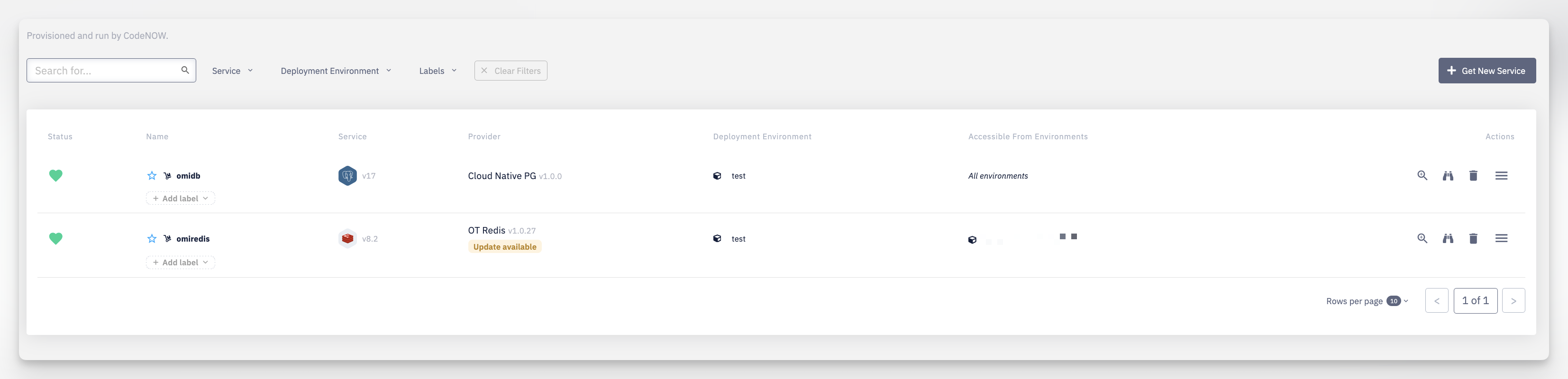
Status — the current health status of the service instance
Name — the instance name; click to open the service detail. Use the star to mark it as a favorite, and + Add label to attach a label directly from the list
Service — the technology and its version (e.g. Redis v8.2)
Provider — the provider name and its version (e.g. Cloud Native PG v1.0.0). An Update available badge appears here when a newer provider version can be applied — see Hosted Service Detail for what it means and when it's actionable
Deployment Environment — the environment the instance is deployed to
Accessible From Environments — a summary of where this instance can be consumed via Connect Services (e.g. All environments, or a compact list); see Service Availability for the full rules
Filters — Search, and filter by Service, Deployment Environment, or Labels; Clear Filters resets them