Publish
Publishing makes a new version of the template available for library creation. A published version is immutable — changes to the template require publishing a new version.
Open the Publish dialog via Choose Action > Publish or + Publish in the Publish History section on the Template Detail page.
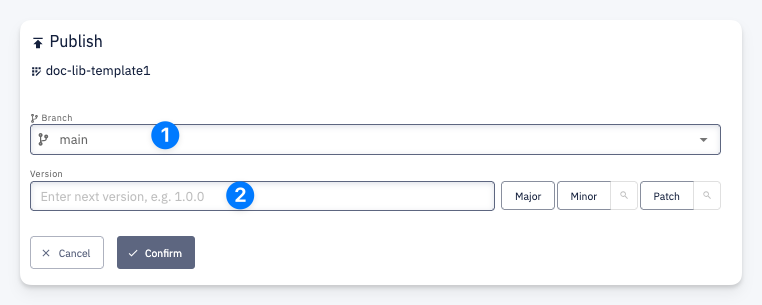
| # | Field | Description |
|---|---|---|
| 1 | Branch | The branch to publish from |
| 2 | Version | The version number for the new release — use Major, Minor, or Patch buttons to auto-increment |