Dry Run
A Dry Run validates the Library Template by simulating the full library creation and build process. Starting a Dry Run launches a Custom Template Dry Run job that:
- Creates a temporary Library scaffolded from the template using the selected branch and the provided Template Configuration
- Triggers a build on the temporary library
This verifies both the scaffolding phase (template expressions, folder structure) and the build phase, catching issues before the template is published.
As long as the Dry Run is running, the temporary library remains available. You can inspect the build output, debug issues, and apply fixes directly back to the template repository or other template settings. Once you are satisfied, you can stop the Dry Run — the temporary resources are then cleaned up automatically.
Open the Dry Run dialog via Choose Action > Dry Run or the Dry Run shortcut on the Template Detail page.
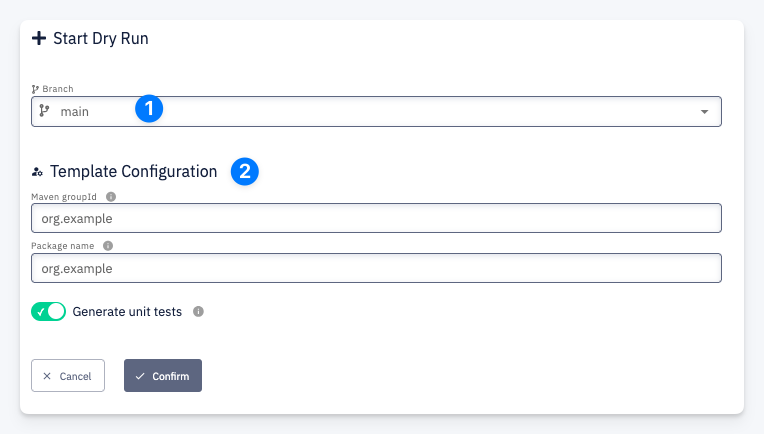
| # | Field | Description |
|---|---|---|
| 1 | Branch | The template repository branch to scaffold the library from |
| 2 | Template Configuration | The configuration form defined by the template's Template Configuration properties |