User
The User detail page is the administration view for a specific account user. It provides a complete picture of the user's role, permissions across all resources, MFA setup, and team memberships — and allows an account admin or owner to adjust all of these.
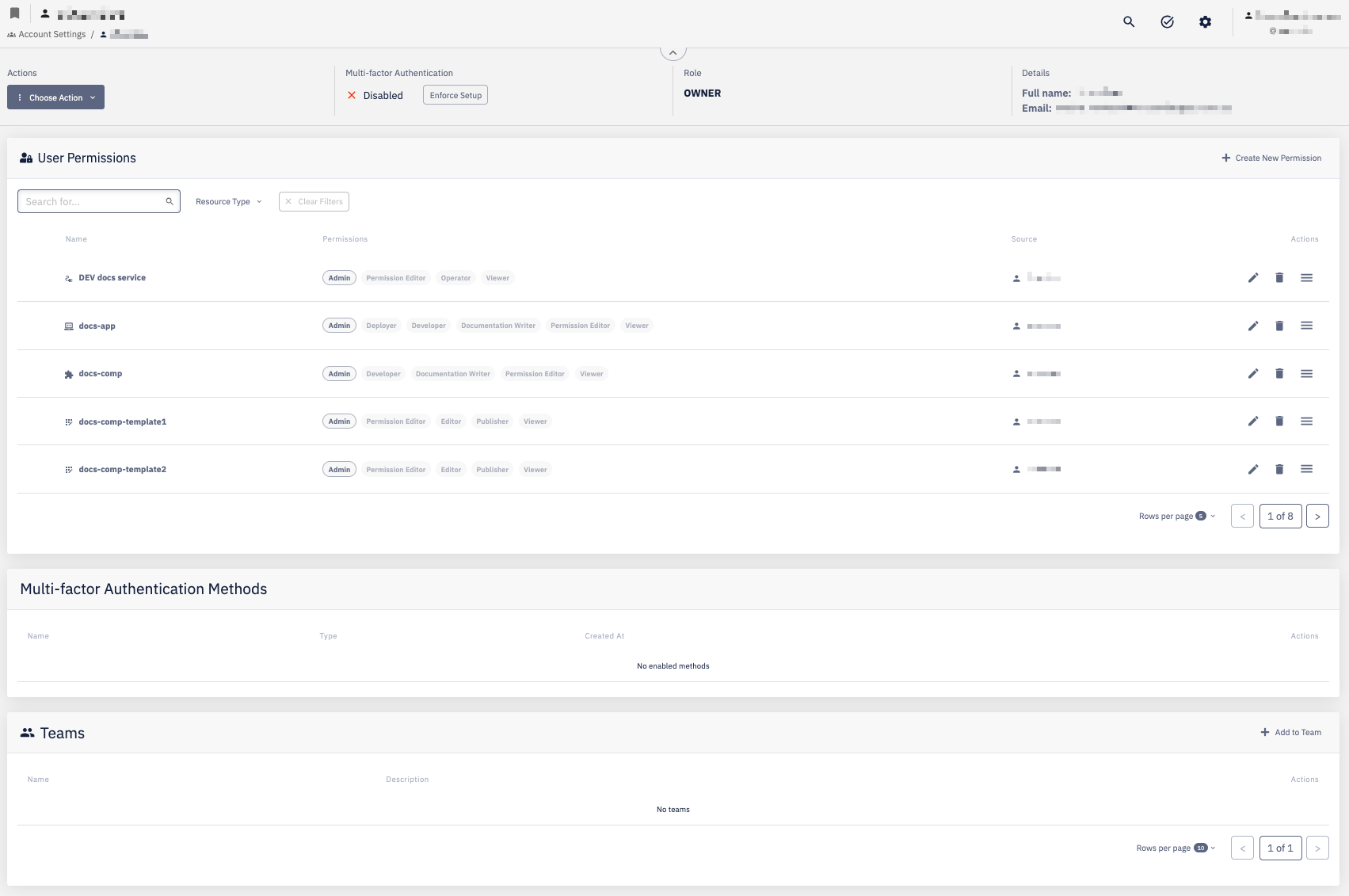
Header
The header shows the user's basic information and account-level settings:
| Field | Description |
|---|---|
| Role | The user's account role — Owner, Admin, or User |
| Multi-factor Authentication | Whether MFA is enabled for the user; use Enforce Setup to require the user to configure MFA |
| Full Name / Email | The user's display name and email address |
Use Choose Action to edit user details or perform other account-level operations on the user.
User Permissions
Lists all resources the user has been explicitly granted permissions on. Each row shows:
| Column | Description |
|---|---|
| Name | The resource (application, component, template, environment, etc.) |
| Permissions | The permission groups assigned to the user for that resource |
| Source | Whether the permission was assigned directly to the user or inherited via a team |
Actions per row: Edit the permission assignment, Delete it, or access More options.
Use + Create New Permission to grant the user access to an additional resource. Filter the list by Resource Type to narrow down the view.
Multi-factor Authentication Methods
Lists MFA devices or methods registered for the user. When no methods are configured, the section shows No enabled methods.
Teams
Lists all teams the user is a member of. Each row shows the team name and description.
Use + Add to Team to add the user to a team. To remove the user from a team, use the action available on each row.