Delete Library
To delete a library, open the Library Detail page and select Delete from the Choose Action dropdown.
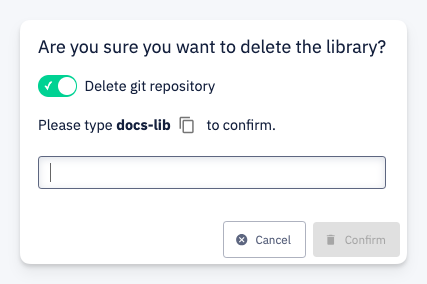
A confirmation dialog appears with the following options:
- Delete git repository — toggle to also permanently delete the library's Git repository. Enabled by default.
- To confirm, type the library name and click Confirm.
warning
Deleting a library is permanent and cannot be undone. If the Delete git repository toggle is enabled, the repository and all its history will be removed as well.