Library List
The Libraries section in the self-service portal shows all libraries you have access to.
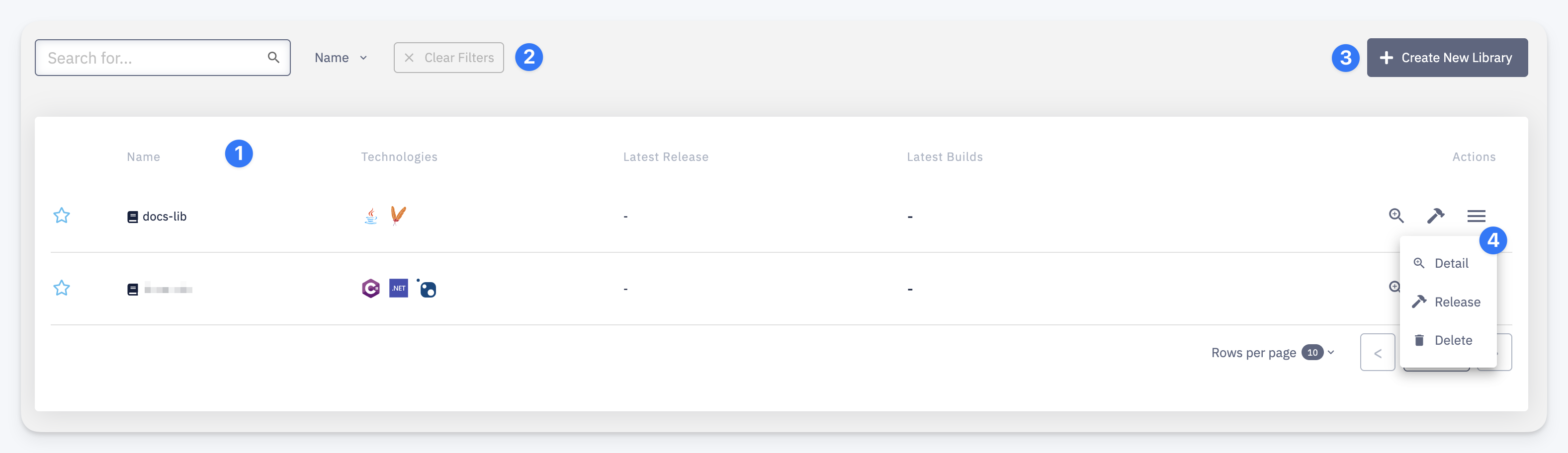
- Table columns — Name (click to open library detail), Technologies (stack icons), Latest Release (version or
-), Latest Builds (build status), and Actions - Search & Sort — use the search bar to filter by name, click Name to change sort order, or click Clear Filters to reset
- + Create New Library — opens the create library form
- Quick actions menu — per-row actions: Detail (open library detail), Release (trigger a release build), Delete (delete the library)