Library Detail
The library detail page is the central hub for managing a single library. Open it by clicking a library name in the Library List.
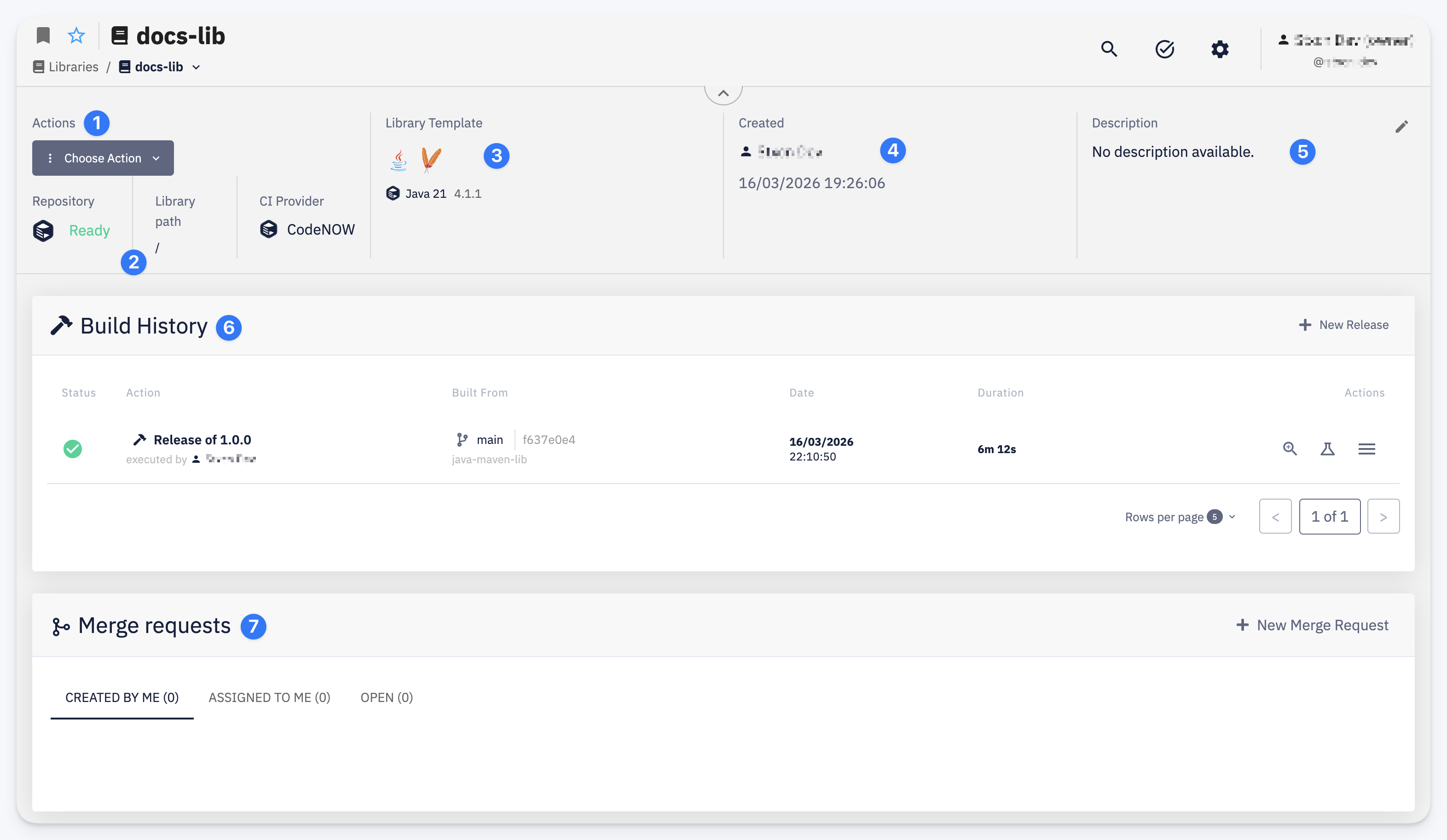
- Actions — the Choose Action dropdown provides quick access to operations: Open / Clone Repository, Setup Instructions, Settings, Release, and Delete
- Repository info — shows the repository status (e.g. Ready), library path within the repository (default
/), and the CI provider used for builds (e.g. CodeNOW) - Library Template — the technology stack and version (e.g. Java 21 4.1.1)
- Created — the user who created the library and the creation date
- Description — editable text describing the library's purpose. Click the pencil icon to edit.
- Build History — lists all builds with their status, action type, source branch, date, and duration. Click + New Release to trigger a release build.
- Merge Requests — lists merge requests with filter tabs: Created by me, Assigned to me, and Open. Click + New Merge Request to create one.