Service Template Detail
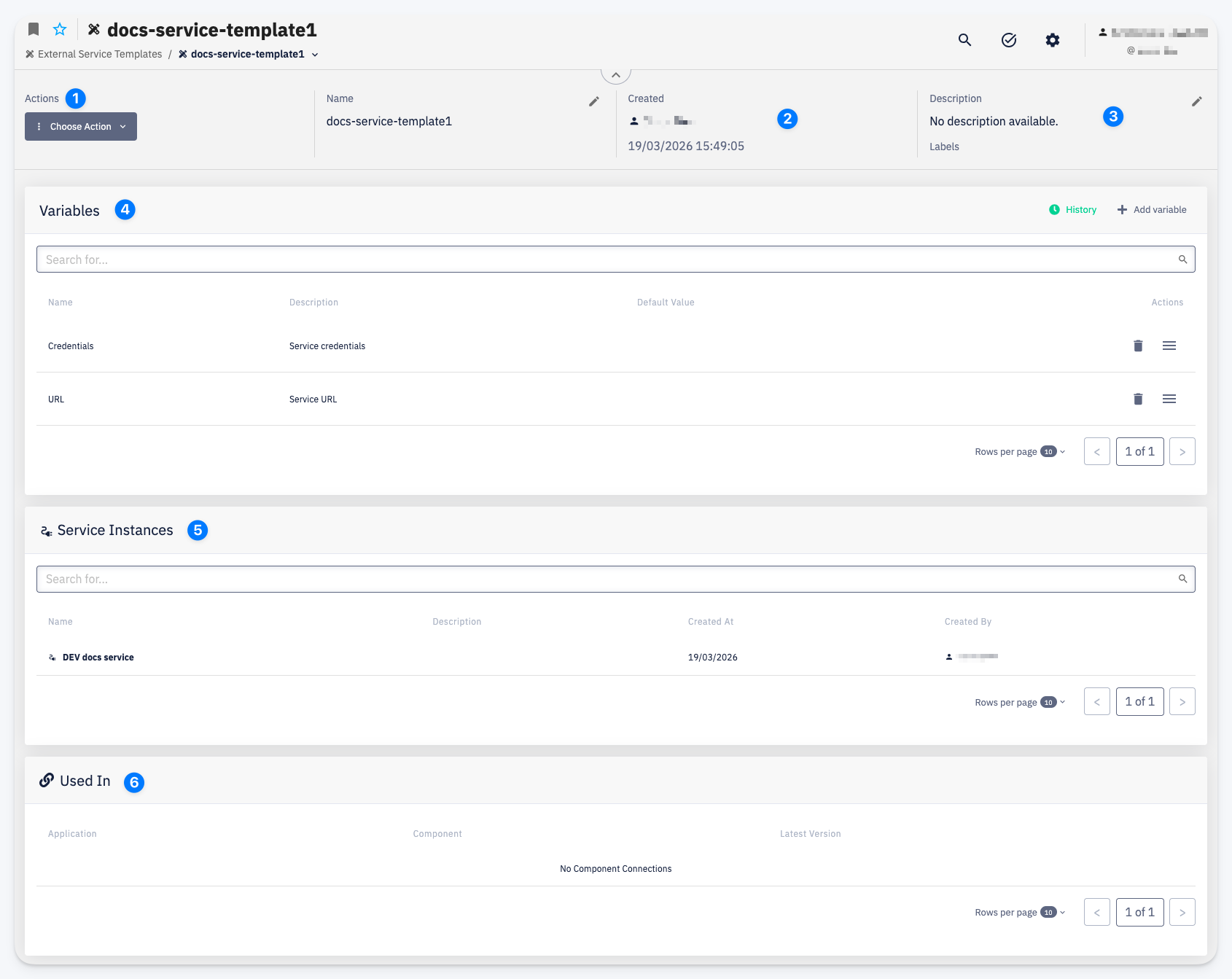
- Actions — Choose Action menu with access to Settings > Permissions and Delete. For a CodeNOW default template, editing, deleting, and permission management are unavailable — Settings shows an informational message instead of the Permissions card
- Name — the template name, editable via the pencil icon
- Created — the user who created the template and the creation date
- Description — a short description of the template; Labels attached to this template
Variables
The Variables card lists every variable defined by this template:
| Column | Description |
|---|---|
| Name | The variable name; carries a badge (e.g. sensitive) when the variable has that flag set |
| Description | What the variable is for |
| Default Value | The default value, if any |
| Category | The category this variable is grouped into on the service form |
Use History to view the change history, or Edit to open the bulk editor:
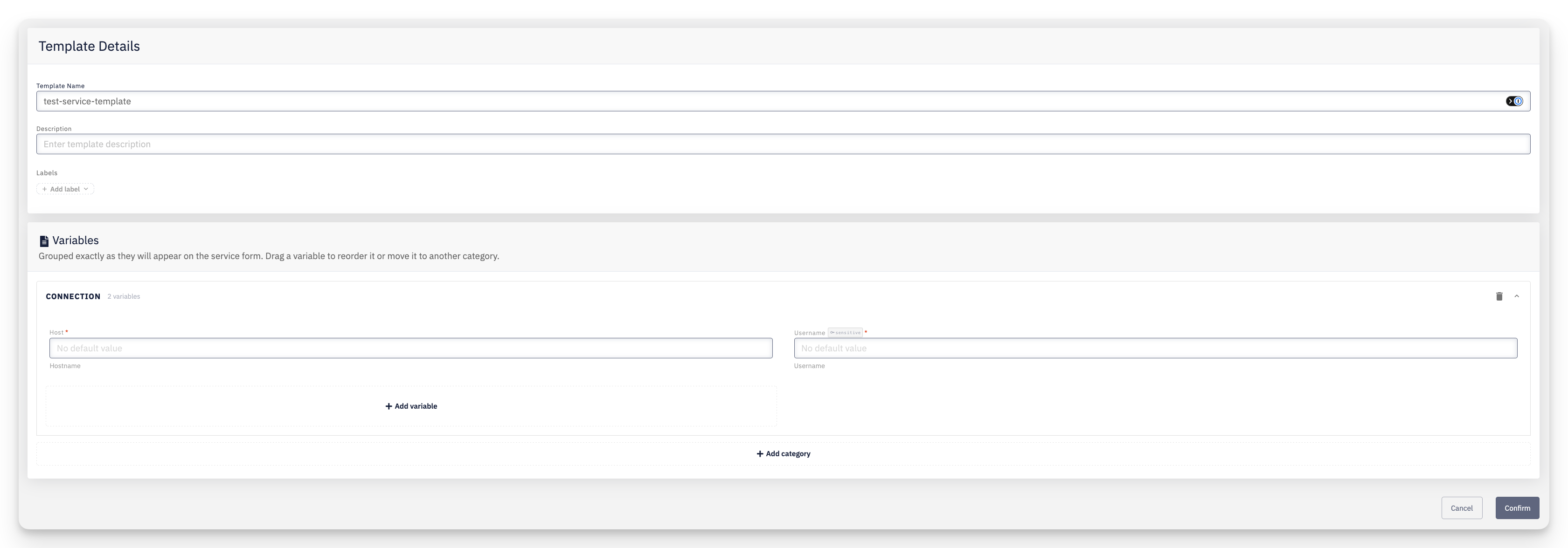
Variables are grouped exactly as they will appear on the resulting service form. Drag a variable to reorder it or move it to another category, use + Add variable / + Add category to add new ones, and Confirm to save all changes at once. On a CodeNOW default template, this editor isn't available — variables are read-only.
Service Instances
The Service Instances card lists the Connected Service instances created from this template, showing their Name, Description, Created At, and Created By.
Used In
The Used In card lists the application components that have this template added as a Connected Service binding type, showing the Application, Component, and Latest Version. The binding type is declared on the component; the concrete instance for each environment is assigned separately in the Deployment Configuration.