Create Domain
To create a new domain, click + Add New Gateway from the Domain List. The same form is used when editing an existing domain.
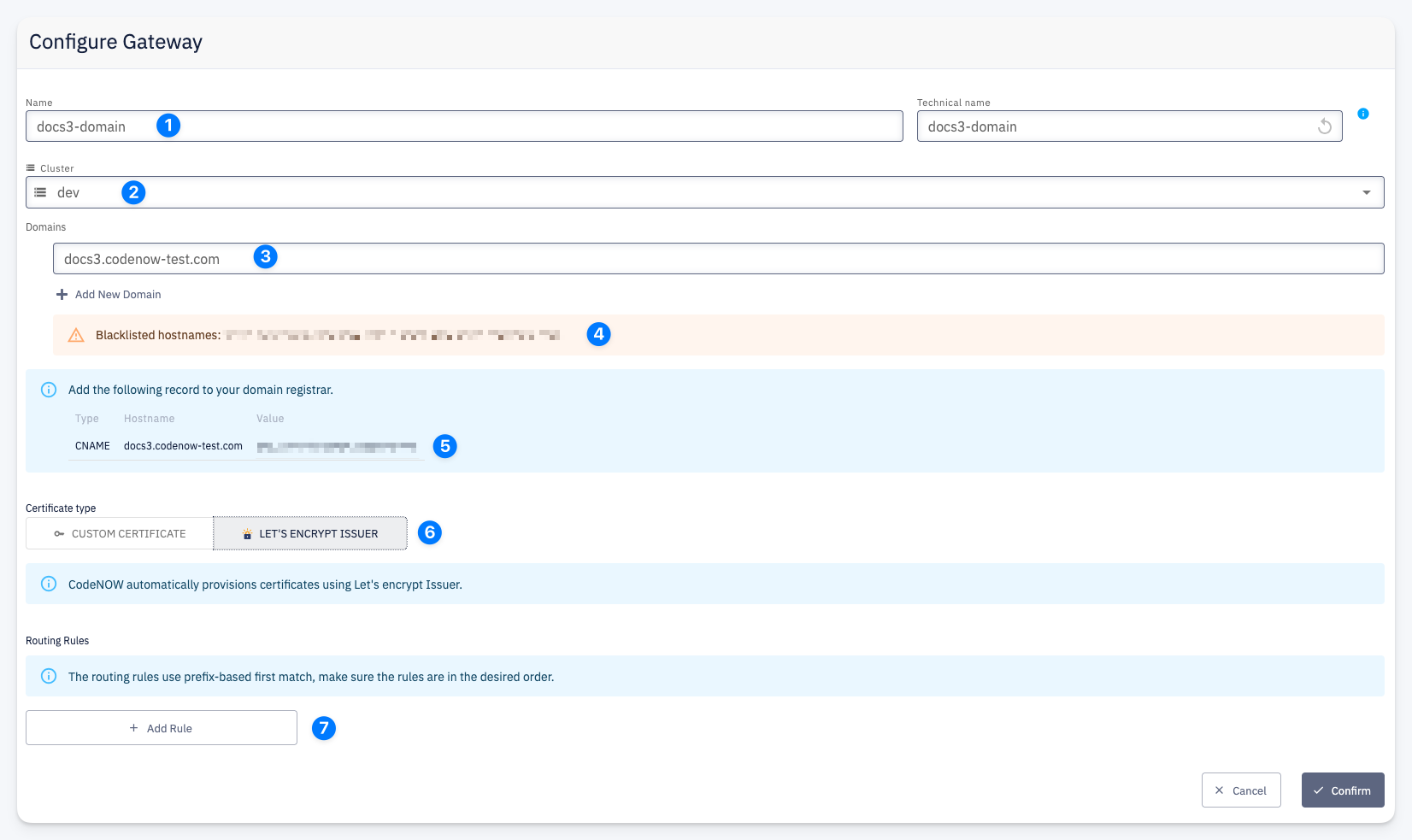
Gateway Configuration
1 — Name / Technical name — a display name for the gateway; the technical name is derived automatically and used internally
2 — Cluster — the Cluster this gateway will be deployed on
3 — Domains — one or more hostnames this gateway should serve (e.g. app.example.com); multiple hostnames can be added with + Add New Domain
4 — Blacklisted hostnames — if a hostname is blocked on the cluster, a warning is shown here
5 — DNS record — the CNAME record you need to add at your domain registrar to point the hostname to the cluster; CodeNOW displays the exact Type, Hostname, and Value to configure
6 — Certificate type — how TLS certificates are provisioned. The available options depend on the configuration of the Dataplane (Cluster) the domain is being created on
7 — Routing Rules — define how incoming traffic is routed; see Routing Rules