Domain List
The Domain List shows all gateways in your account as a table.
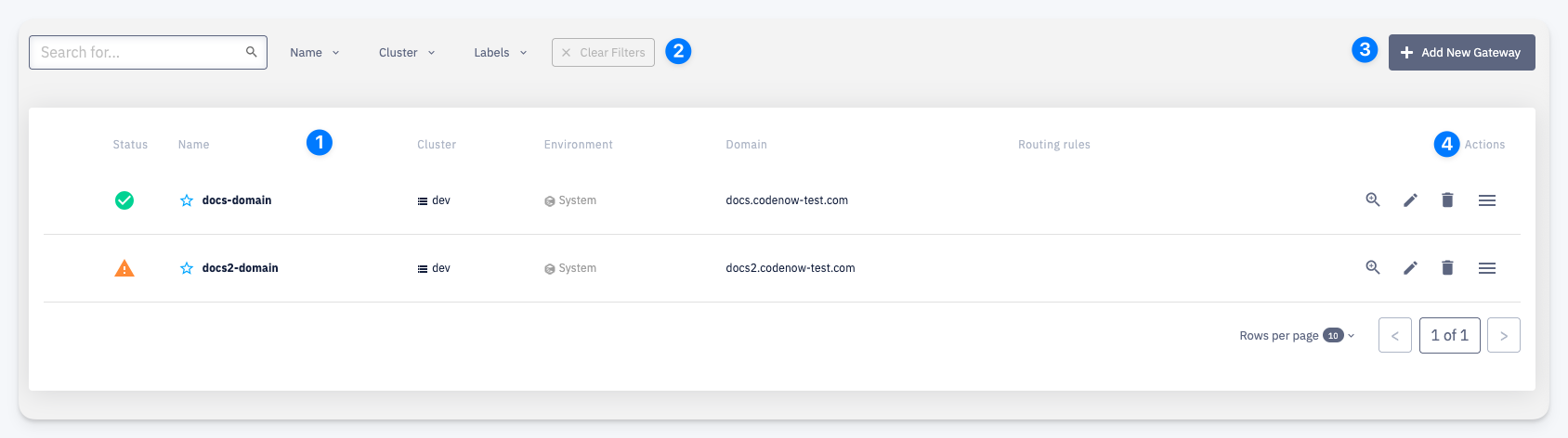
1 — Each row shows the domain's Status, Name, Cluster, Environment, Domain hostname(s), and the number of Routing Rules configured.
Status indicators:
- Green check — domain is healthy and DNS is resolved
- Orange triangle — domain has a warning (e.g. DNS not yet propagated)
2 — Filters — narrow the list by name, cluster, or labels
3 — Add New Gateway — opens the domain creation form
4 — Actions — per-row quick actions: open detail, edit, delete, more actions menu