Create Environment
To create a new environment, click + Create New Environment from the Environment List.
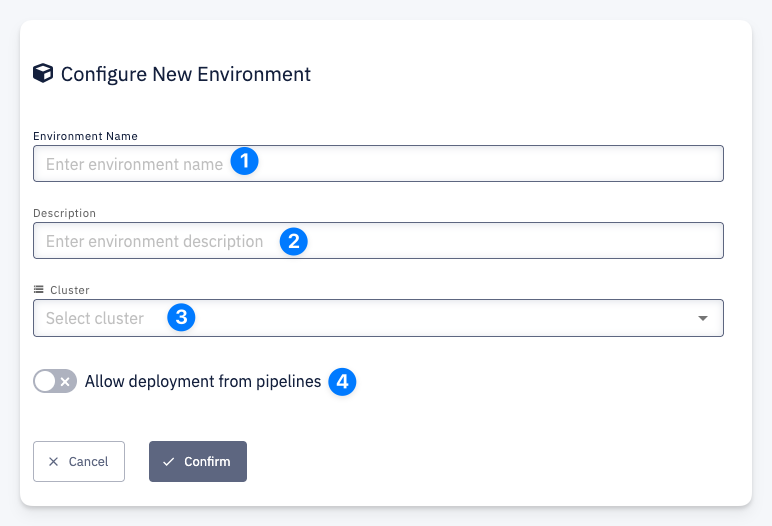
Fill in the form:
1 — Environment Name — a unique name for the environment
2 — Description — an optional short description
3 — Cluster — the Cluster (Dataplane) this environment will be created on
4 — Allow deployment from pipelines — when enabled, applications can be deployed into this environment automatically at the end of a successful CI pipeline; can be changed later in Configuration
Click Confirm to create the environment.