Environment Detail
The Environment Detail page shows the current state of a single environment — what is deployed in it and how it is configured.
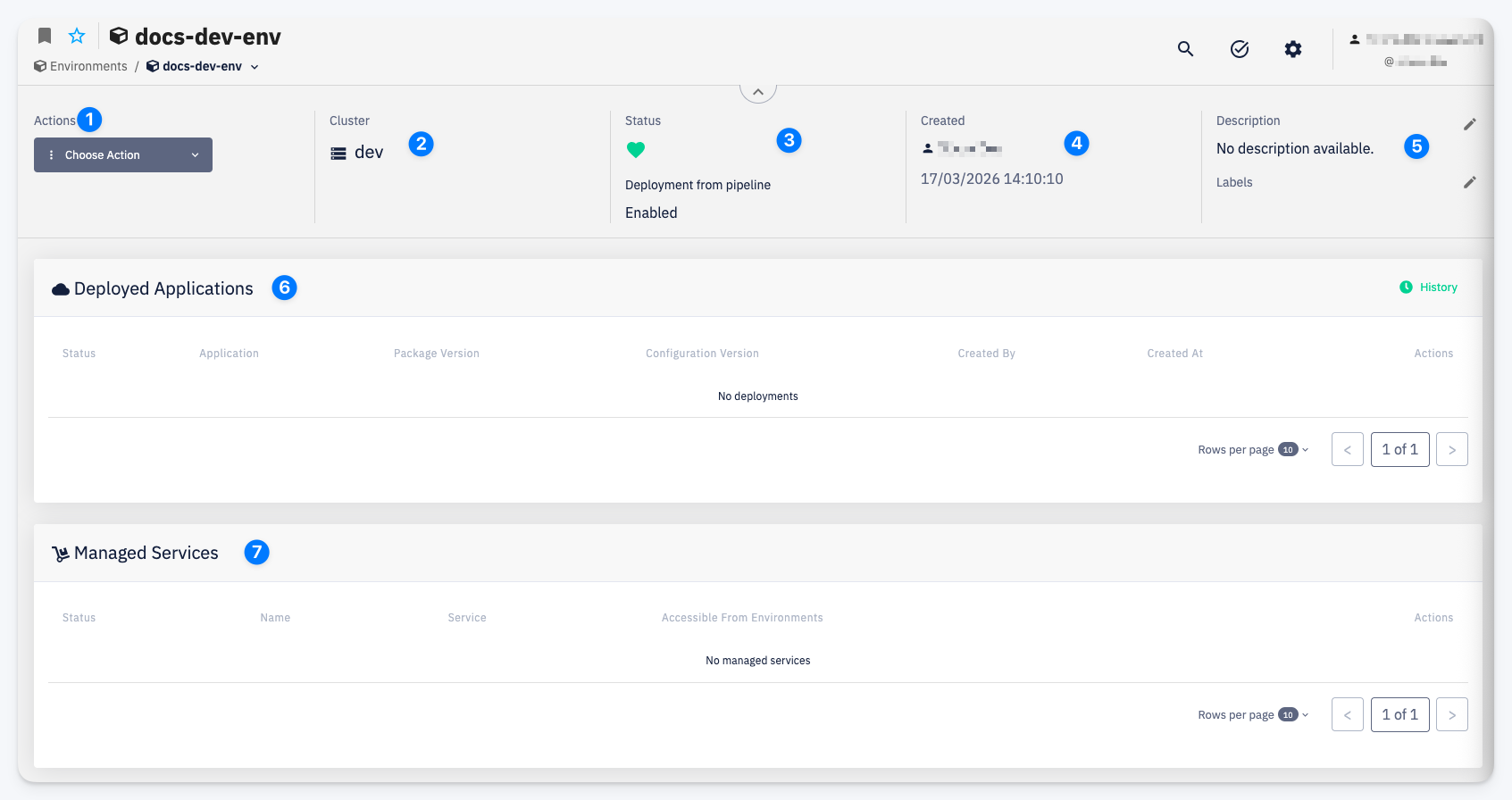
Actions
1 — The Choose Action menu provides access to environment operations:
- Settings > Configuration — configure deployment from pipeline behavior; see Configuration
- Settings > Permissions — manage access; see Permissions
- Delete — permanently remove the environment
Environment Info
2 — Cluster — the Cluster this environment runs on
3 — Status — current health of the environment and whether deployment from pipeline is enabled or disabled
4 — Created — the user who created the environment and the creation timestamp
5 — Description / Labels — editable description and labels for the environment
Deployed Applications
6 — A table of all applications currently deployed in this environment. For each deployment you can see:
- Status — health of the deployment
- Application — the application name
- Package Version — the deployed package version
- Configuration Version — the deployed configuration version
- Created By / Created At — who triggered the deployment and when
The History button opens the full deployment history for this environment.
Managed Services
7 — A table of managed services running in this environment. For each service you can see:
- Status — health of the managed service
- Name — the managed service instance name
- Service — the service type
- Accessible From Environments — other environments that can reach this service instance