Permissions
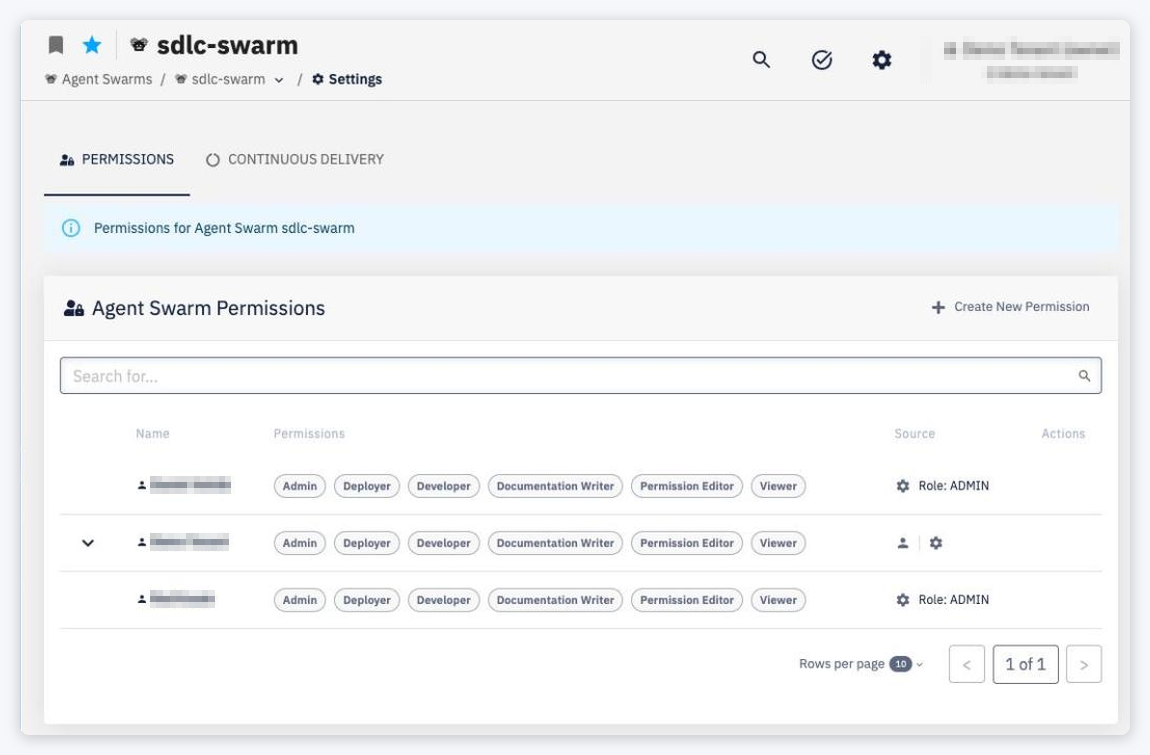
The PERMISSIONS tab of Agent Swarm Settings is accessible via Choose Action › Settings on the agent swarm detail. For general information on how permissions work, see Common Features — Permissions.
Permission Groups
| Group | Description |
|---|---|
| Admin | Full control over the agent swarm, including configuration, permissions, and deletion |
| Developer | Can create and manage agents and build packages |
| Deployer | Can manage deployment configurations and deploy the agent swarm to environments. To manage configurations or deploy to a specific environment, the user also needs the Deployer or Admin role on that environment. |
| Documentation Writer | Can edit the documentation of the agent swarm |
| Permission Editor | Can manage permission assignments for the agent swarm |
| Viewer | Read-only access to the agent swarm detail |
The tab lists every identity with access (Agent Swarm Permissions); use + Create New Permission to add one. Agent permissions are inherited from the swarm — see Agent Permissions. Saving permission changes triggers a Permission Settings job.