Setup Instructions
To view setup instructions for a component, open the component detail and select Setup Instructions from the Choose Action dropdown.
The setup instructions wizard guides you through the steps needed to start developing the component locally. The steps are tailored to the component's technology stack.
Step 1 — Clone Repository
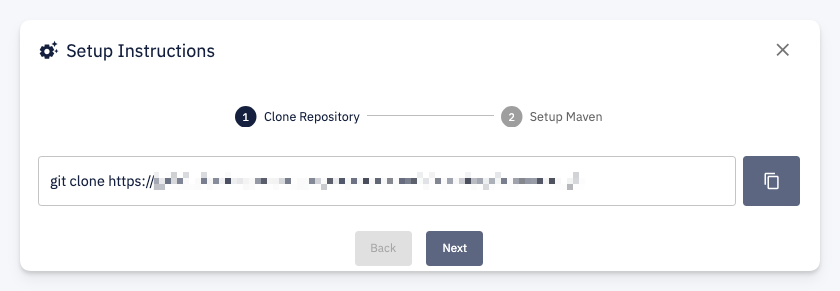
Provides a ready-to-use git clone command with the repository URL. Click the copy button to copy the command and run it in your terminal.
Step 2 — Setup Build Tool
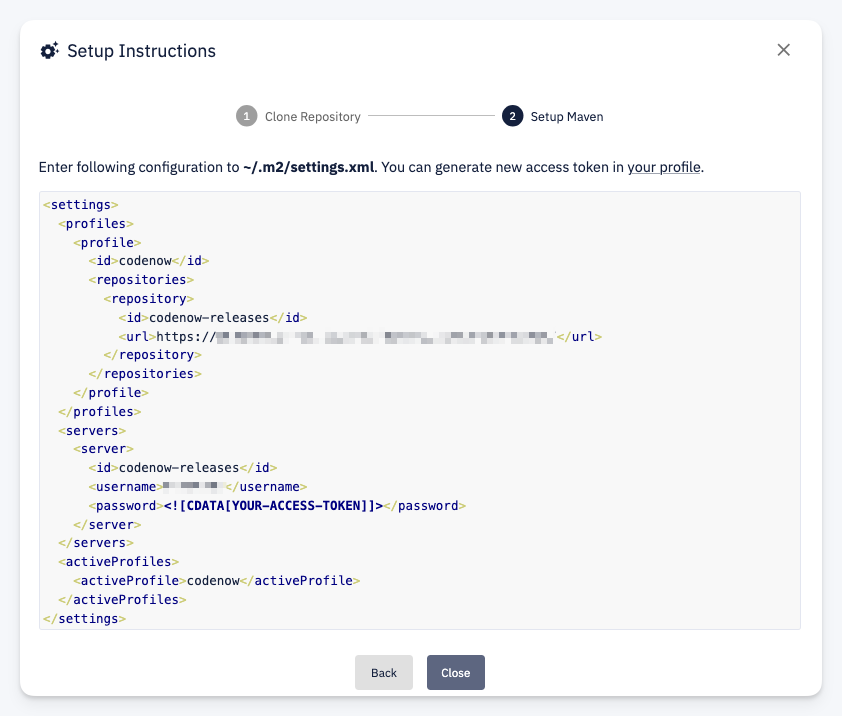
Provides the build tool configuration needed to access the CodeNOW artifact repository. For example, for a Java component this step shows the Maven ~/.m2/settings.xml configuration with:
- Repository URL for resolving CodeNOW-hosted artifacts
- Server credentials — use your username and a personal access token
You can generate a new access token in your profile settings.
The instructions adapt to the component's technology stack. For example, a .NET component will show NuGet configuration, while a Node.js component will show npm configuration.