Component Detail
-
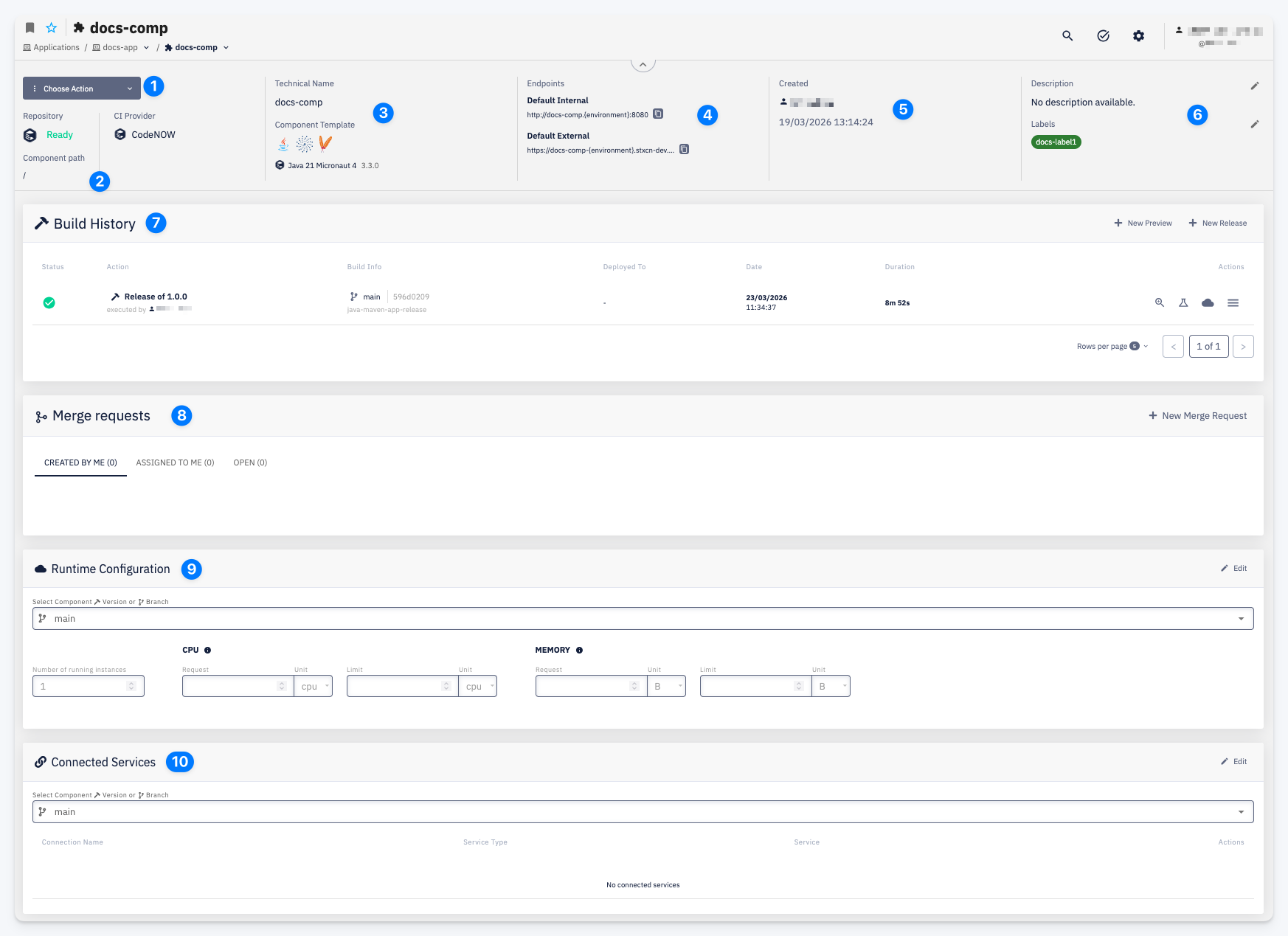
Actions — Choose Action menu providing access to all component actions: Clone Repository, Setup Instructions, New Preview, New Release, Settings, and Delete.
-
Repository — the status of the component's Git repository (Ready when available) and the CI Provider used for builds. Component path shows the path within the repository (relevant for monorepo setups).
-
Technical Name / Component Template — the internal identifier used in pipelines and configurations, and the technology template the component was created from, including its technology stack icons and version.
-
Endpoints — the URLs through which the component is accessible. Default Internal is the address within the cluster (accessible only from other services in the same cluster). Default External is the publicly accessible URL.
-
Created — the user who created the component and the creation date.
-
Description / Labels — a short description of the component and any labels attached to it.
-
Build History — a list of all builds for this component. Columns: Status, Action (build type and who triggered it), Build Info (branch, commit, pipeline), Deployed To, Date, Duration, Actions. Use + New Preview to trigger a preview build or + New Release to trigger a release build. See Build History.
-
Merge Requests — merge requests associated with the component's repository, grouped into tabs: Created by me, Assigned to me, and Open. Use + New Merge Request to create a new one. See Merge Requests.
-
Runtime Configuration — resource settings for the component. Select the component version or branch to view its configuration. Configurable values include the number of running instances and CPU/memory Request and Limit. Click Edit to modify.
-
Connected Services — the component's bindings to Service Templates; the concrete instance that fulfills each binding — a Hosted or Connected Service — is assigned per environment in the Deployment Configuration. See Connected Services for details.