Connected Services
The Connected Services section on the Component Detail page lists all the Service Template bindings declared for this component.
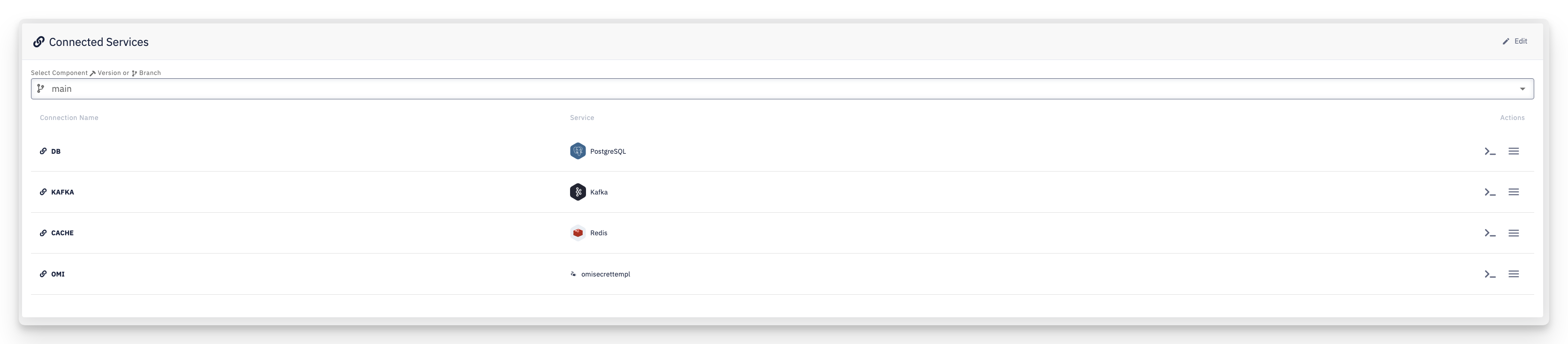
Each binding only declares that the component needs a service matching a given Service Template — it doesn't assign a concrete instance. The actual Hosted or Connected Service instance is assigned per environment in the Deployment Configuration → Connected Services, and can differ between environments.
- Select Component Version or Branch — bindings can differ between versions/branches, same as other component settings
- Connection Name — the name of the binding; this is also the prefix used for the environment variables it exposes (see Variable naming)
- Service — the icon and name of the Service Template this binding requires
- Actions — open the variables reference for this binding, or use the menu for more options
- Edit — add, rename, or remove bindings
Viewing the exposed variables
Click the variables icon on a binding's row to see exactly which environment variables it will expose to the component:
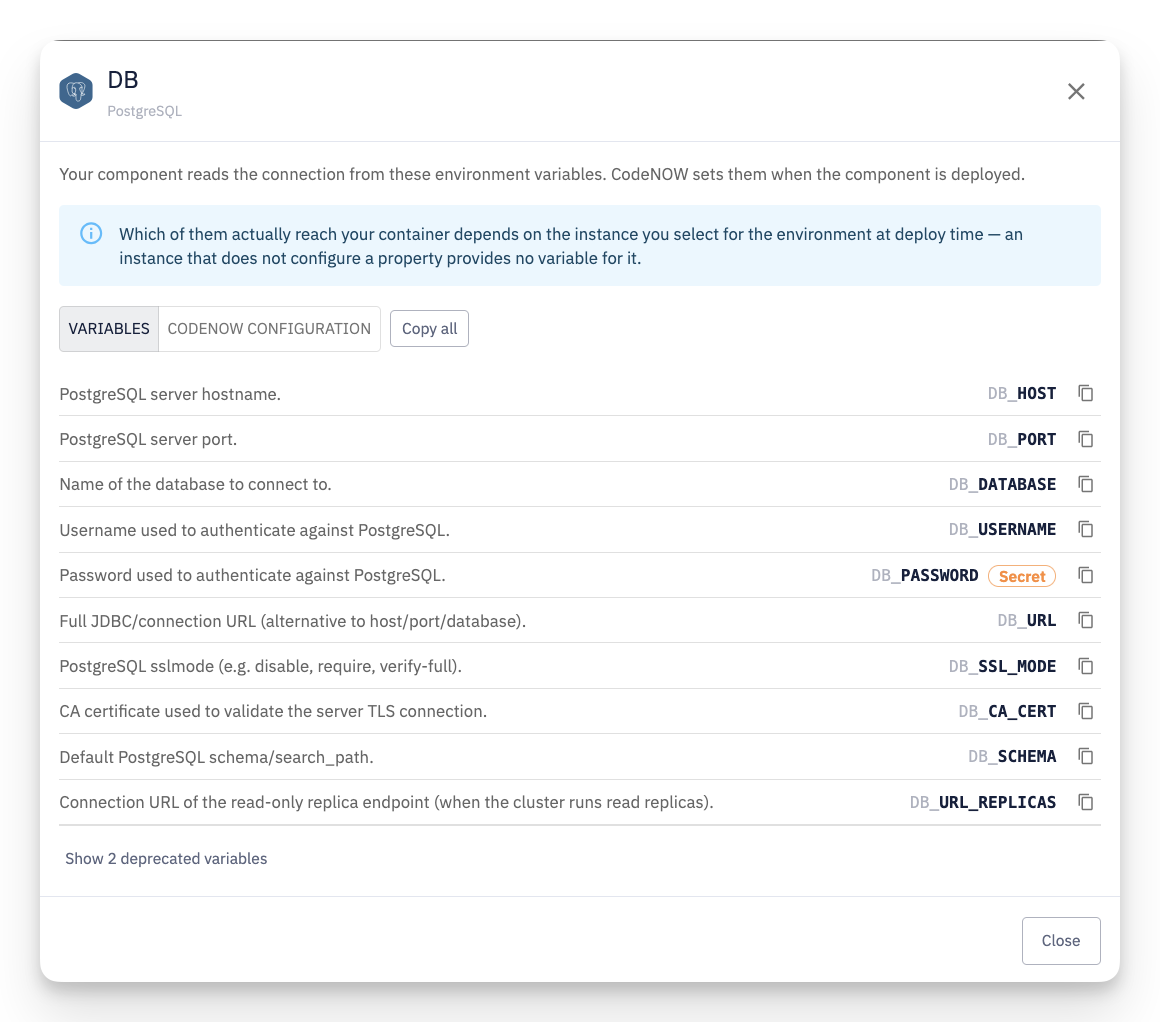
Which variables actually reach your container depends on the instance assigned to this binding for a given environment — an instance that doesn't configure a particular property provides no variable for it. This dialog shows what the Service Template can expose, not a guarantee that every value will be set at runtime.
- Each row shows the variable's description, its environment variable name (following the
<connection name>_<key>pattern), and a Secret badge for sensitive values - Show N deprecated variables reveals variables the template marks as deprecated, hidden by default
- Copy all copies every variable name at once
Mapping to the names your code expects
If your code already reads different variable names, switch to the CodeNOW Configuration tab:
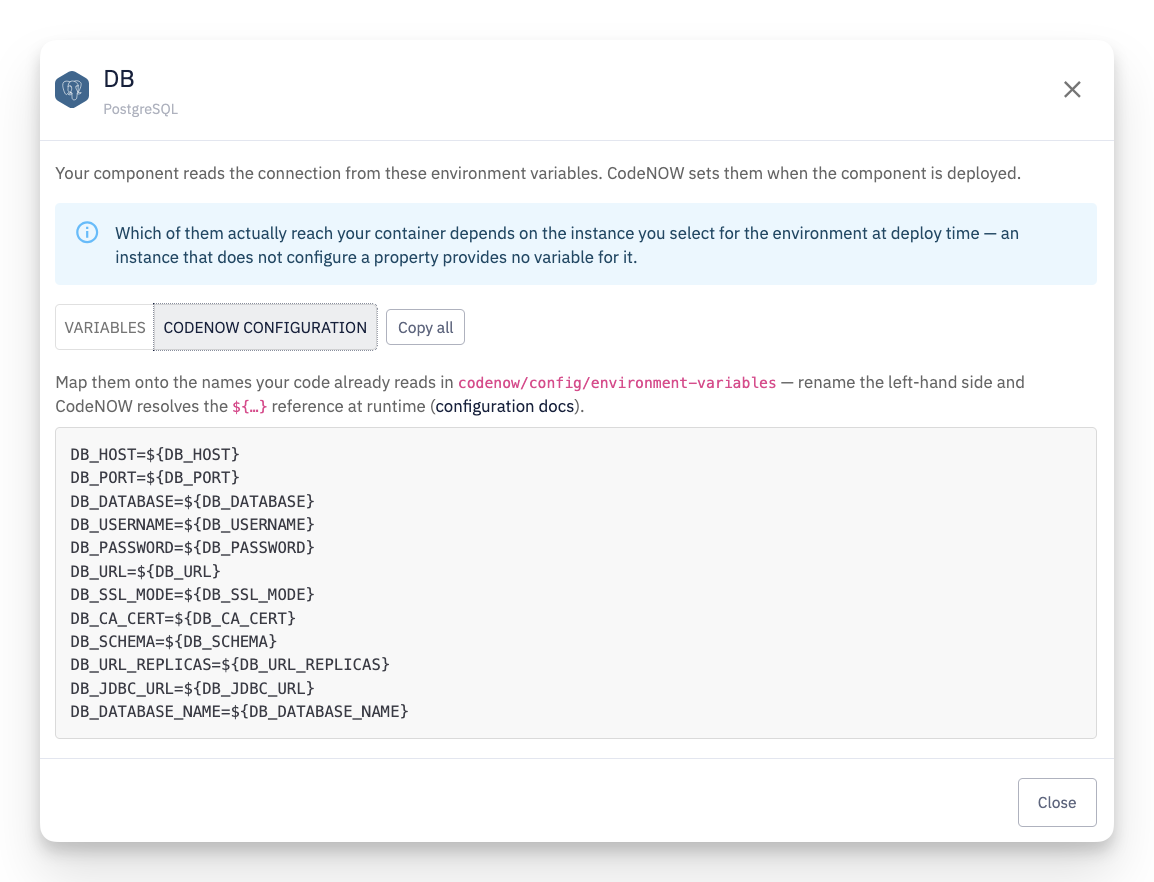
This gives you a ready-to-paste snippet in the LEFT_SIDE=${RIGHT_SIDE} form for codenow/config/environment-variables: keep the right-hand ${…} references as shown, and rename the left-hand side to whatever your application already expects. CodeNOW resolves the reference at runtime — see Configuration for how this file works.
Adding, renaming, or removing a binding
Use Edit to add a new binding, or rename/remove an existing one — each binding needs a Connection Name and a Service Template it requires. Both your own templates and the read-only CodeNOW default templates are available to pick from.
Removing a binding does not remove any per-environment instance assignments left over in existing Deployment Configurations — but a Deployment Configuration created or edited afterwards will no longer offer or require an instance for it.