Configuration Detail
The Configuration Detail page shows the full configuration for a specific version interval and target environment. From here you can edit configuration values across all components and compare them side by side with another deployment configuration.
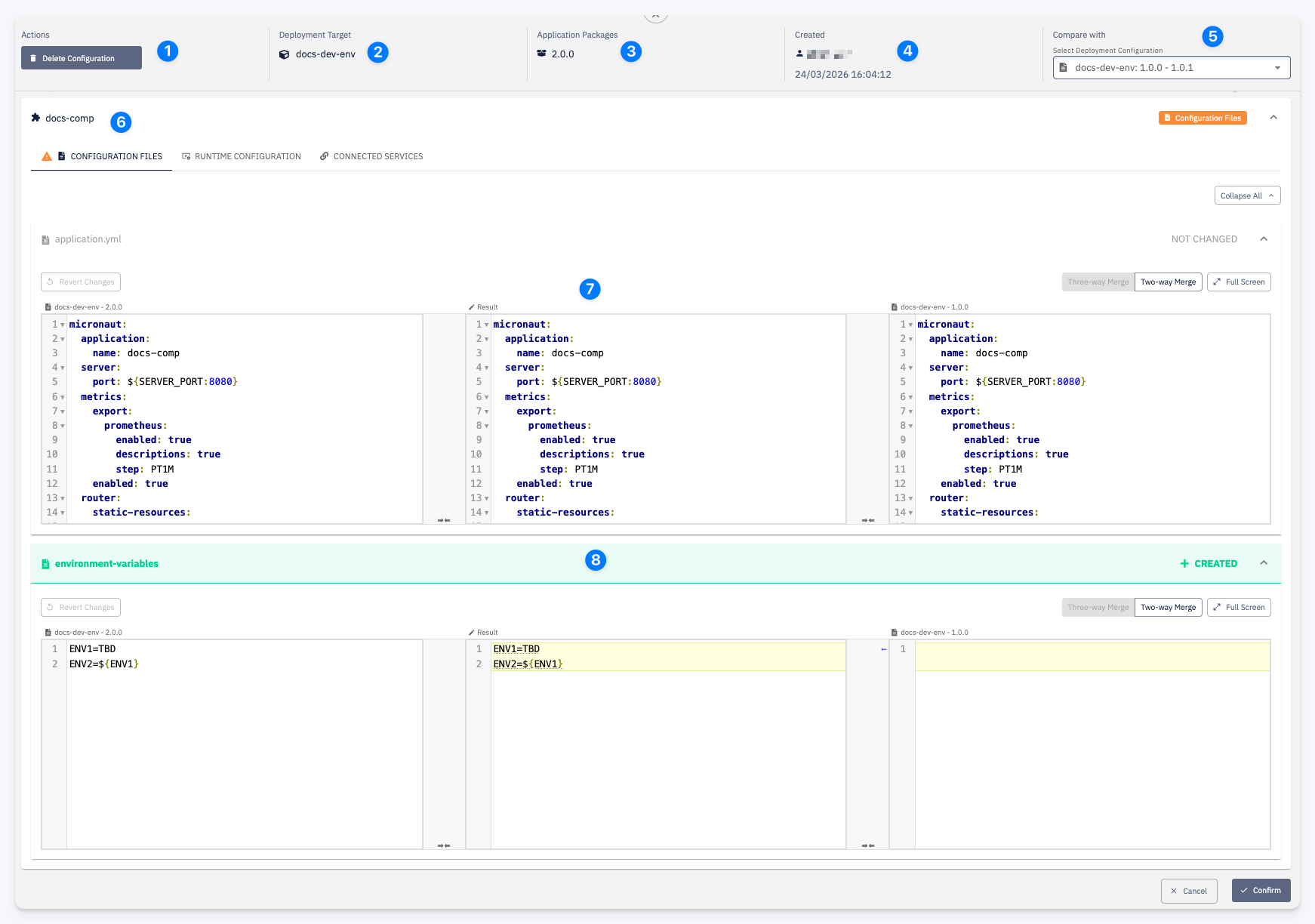
| # | Element | Description |
|---|---|---|
| 1 | Actions | Delete Configuration — removes this deployment configuration. Only available if the configuration is not currently used in any active deployment |
| 2 | Deployment Target | The target environment this configuration applies to |
| 3 | Application Packages | The starting version of the interval — all packages from this version onward are covered by this configuration (until the next interval begins) |
| 4 | Created | Who created this configuration and when |
| 5 | Compare with | Select another deployment configuration to compare values side by side. Once selected, the file editors switch to a three-column merge view |
| 6 | Component list | All application components are listed. Each component exposes three tabs: Configuration Files, Runtime Configuration, and Connected Services |
| 7 | Merge view | When a comparison is active, each configuration file is shown in a three-column editor: the current configuration on the left, the editable result in the middle, and the compare-with configuration on the right. Switch between Three-way Merge and Two-way Merge views, or open Full Screen for easier editing |
| 8 | File status badge | Shows the change status of each file relative to the compare-with configuration: NOT CHANGED — identical in both; + CREATED — present in this configuration but not in the compare-with; MODIFIED — content differs; DELETED — present in compare-with but removed here |