Remote Debug
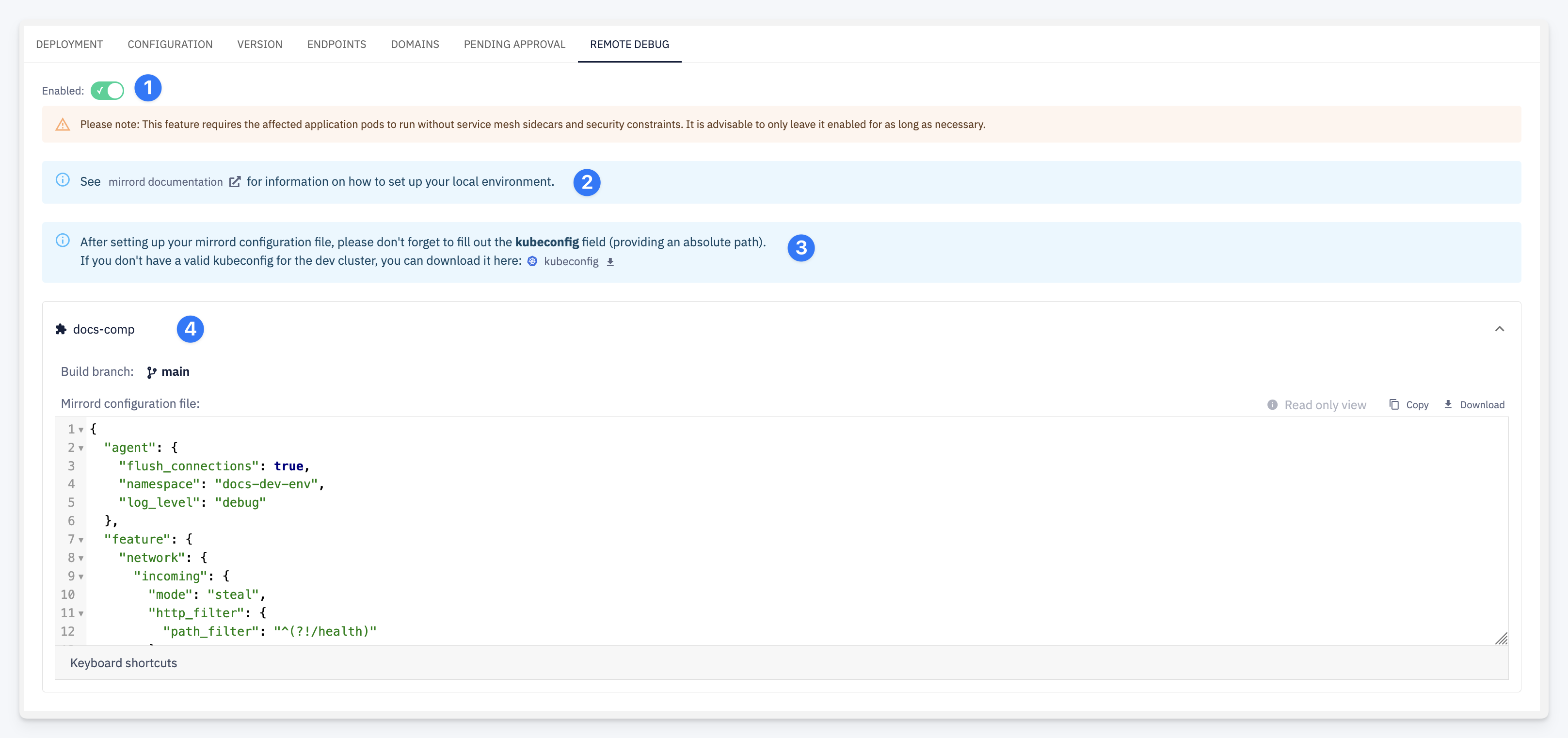
The Remote Debug tab lets you enable remote debugging for a running deployment. CodeNOW uses mirrord to connect your local development environment directly to the application pods running in the cluster — see Remote Debug for a full explanation of how it works and the recommended workflow.
| # | Element | Description |
|---|---|---|
| 1 | Enabled toggle | Turns remote debugging on or off for this deployment |
| 2 | mirrord documentation link | Opens the mirrord documentation for instructions on setting up your local environment |
| 3 | kubeconfig download | Link to download the kubeconfig for the cluster hosting this environment — required by mirrord to reach the cluster. Fill in the absolute path to this file in the mirrord configuration |
| 4 | Component panel | Shows the mirrord configuration file generated for each component, including the build branch it was deployed from. The file can be copied or downloaded directly |
Enabling Remote Debugging
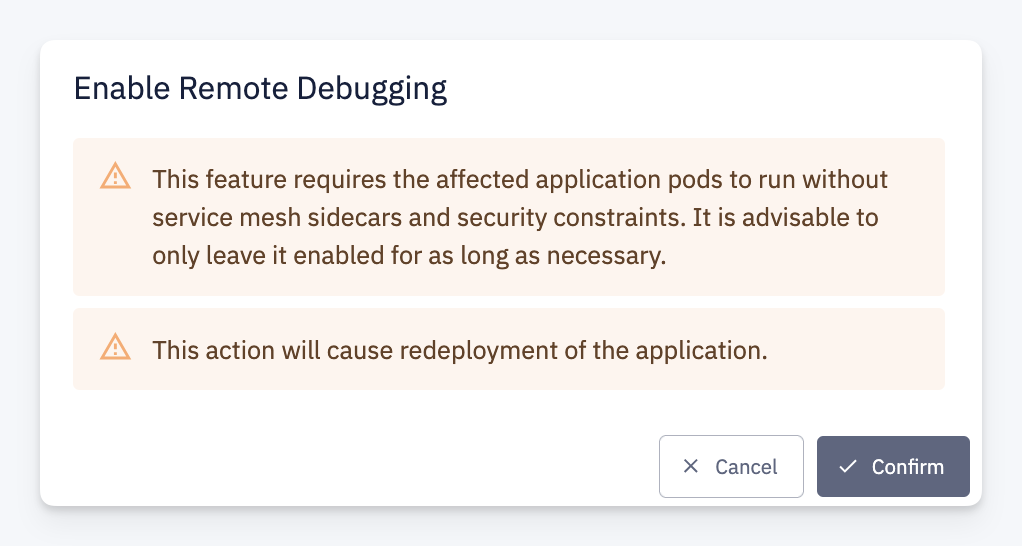
Toggling the Enabled switch opens a confirmation dialog with two warnings:
warning
This feature requires the affected application pods to run without service mesh sidecars and security constraints. Enable it only for as long as necessary and disable it once debugging is complete.
caution
Enabling or disabling remote debugging triggers a redeployment of the application.
Confirm to proceed or cancel to leave the current state unchanged.