Pending Approval
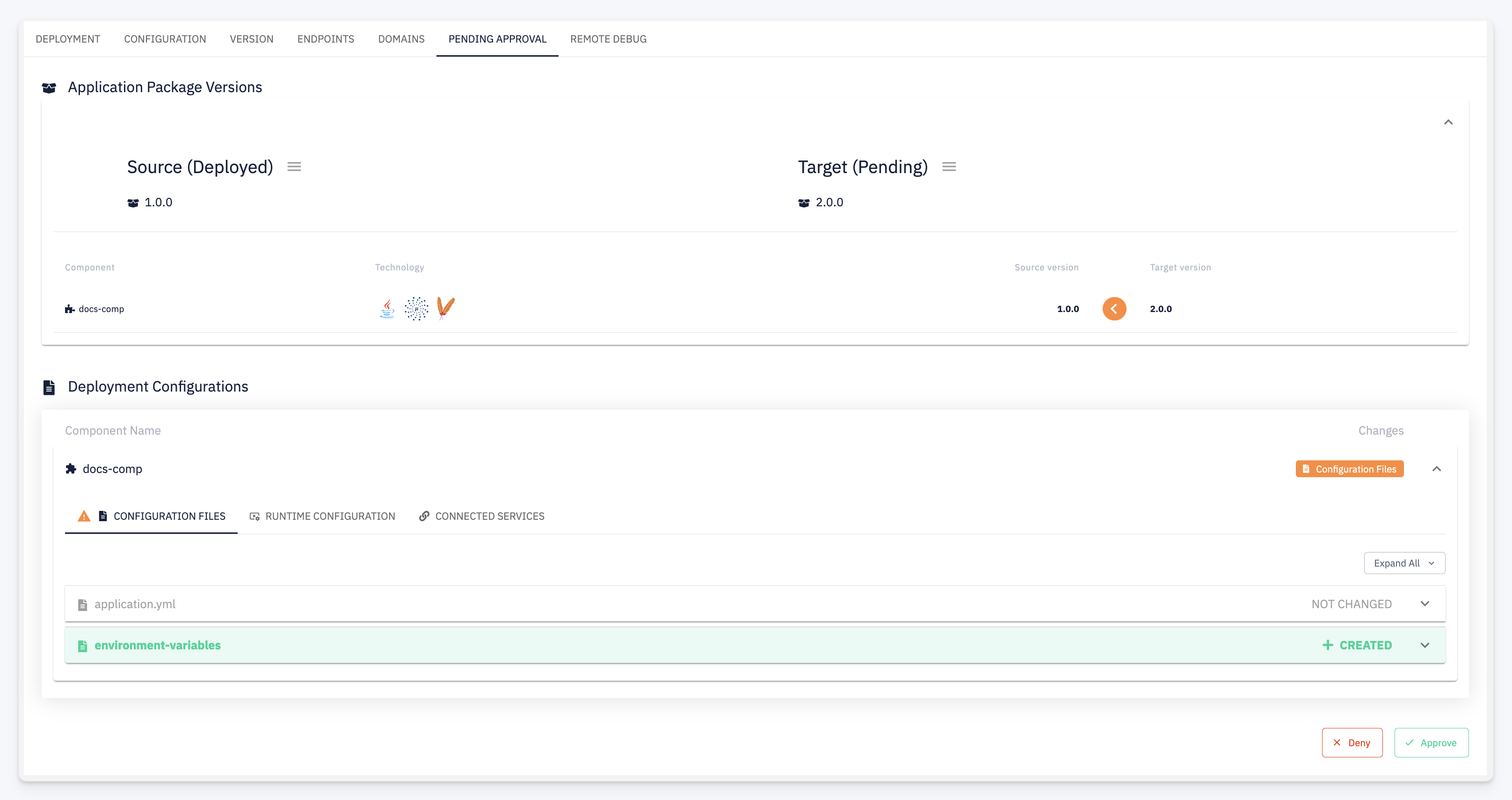
The Pending Approval tab becomes active when a Deployment Quality Gate with a Deployment Approval rule is configured for this environment and a deployment is waiting for sign-off.
The tab gives designated approvers a side-by-side view of what would change — both in terms of the package version and the deployment configuration — before they commit to approving or rejecting the deployment.
Application Package Versions
The upper section compares the currently running package with the one waiting to be deployed.
| Column | Description |
|---|---|
| Source | The package version currently deployed on the environment |
| Target | The package version waiting to be deployed |
Each component is listed with its version in both the source and target package. An indicator highlights components where the version changes between the two.
Deployment Configurations
The lower section shows the configuration diff between what is currently applied and what would be applied after the deployment. The view mirrors the Configuration Detail merge view — files are shown with their status badges:
| Badge | Meaning |
|---|---|
| NOT CHANGED | File is identical in both configurations |
| + CREATED | File is new in the target configuration |
| MODIFIED | File content differs between source and target |
| DELETED | File exists in source but is removed in the target |
Approve or Deny
Use the action buttons at the bottom of the tab to make a decision:
- Approve — allows the deployment to proceed
- Deny — rejects the deployment; the target package is not deployed