CI Triggers
CI Triggers allow you to automatically start builds when code is pushed to a Git repository. The trigger configuration is stored in the .codenow.triggers.yaml file.
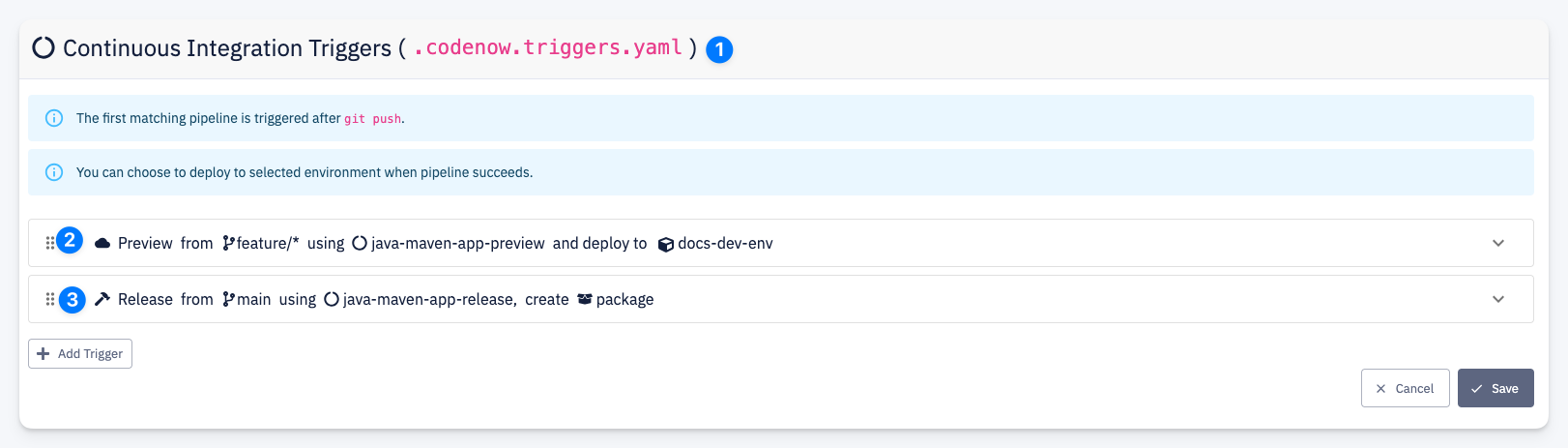
.codenow.triggers.yaml— all trigger definitions are stored in this file in the resource's Git repository- Preview trigger — automatically runs a preview build when code is pushed to a matching branch (e.g.
feature/*). Can optionally deploy the result to a target environment. - Release trigger — automatically runs a release build when code is pushed to a matching branch (e.g.
main). Can optionally create an application package.
info
The first matching trigger is executed after git push. Triggers are evaluated in order from top to bottom — you can reorder them by dragging.
Click + Add Trigger to create a new trigger. Each trigger is configured based on its build type:
| Trigger | Description |
|---|---|
| Release Trigger | Triggers a release build with version management, optional application package creation, and deployment |
| Preview Trigger | Triggers a preview build with optional automatic deployment to a target environment |
tip
A common setup is to have a Preview trigger on feature/* branches with automatic deployment to a development environment, and a Release trigger on main with automatic version incrementing.