Preview Trigger
A Preview trigger automatically starts a preview build when code is pushed to a matching branch. Preview builds produce temporary versions for quick validation of work in progress.
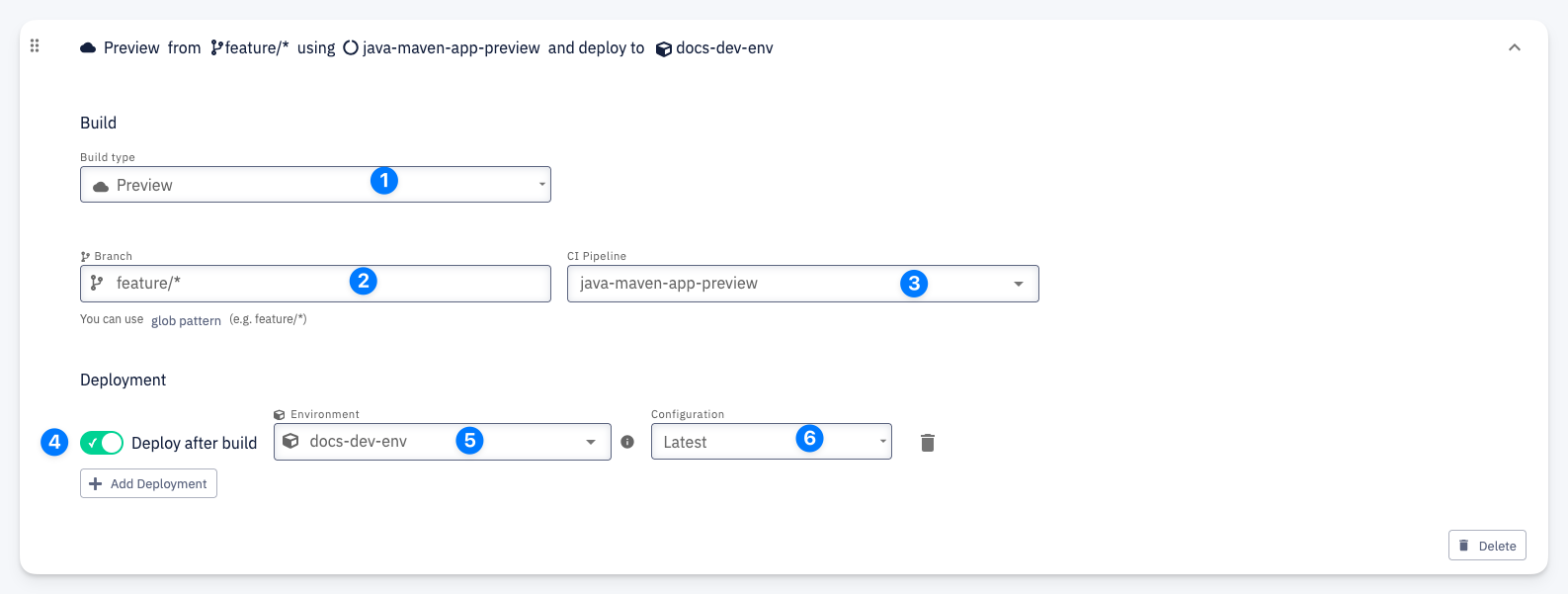
Build
- Build type — set to Preview
- Branch — the branch pattern that triggers the build (e.g.
feature/*). Supports glob patterns to match multiple branches. - CI Pipeline — the pipeline to execute (e.g.
java-maven-app-preview)
Deployment
- Deploy after build — when enabled, automatically deploys the preview build to a target environment after a successful build
- Environment — the target environment for deployment (e.g.
docs-dev-env) - Configuration — the deployment configuration to use (e.g.
Latest)
Click + Add Deployment to add additional deployment targets. Use the trash icon to remove a deployment.