Release Trigger
A Release trigger automatically starts a release build when code is pushed to a matching branch. Release builds produce durable, versioned artifacts.
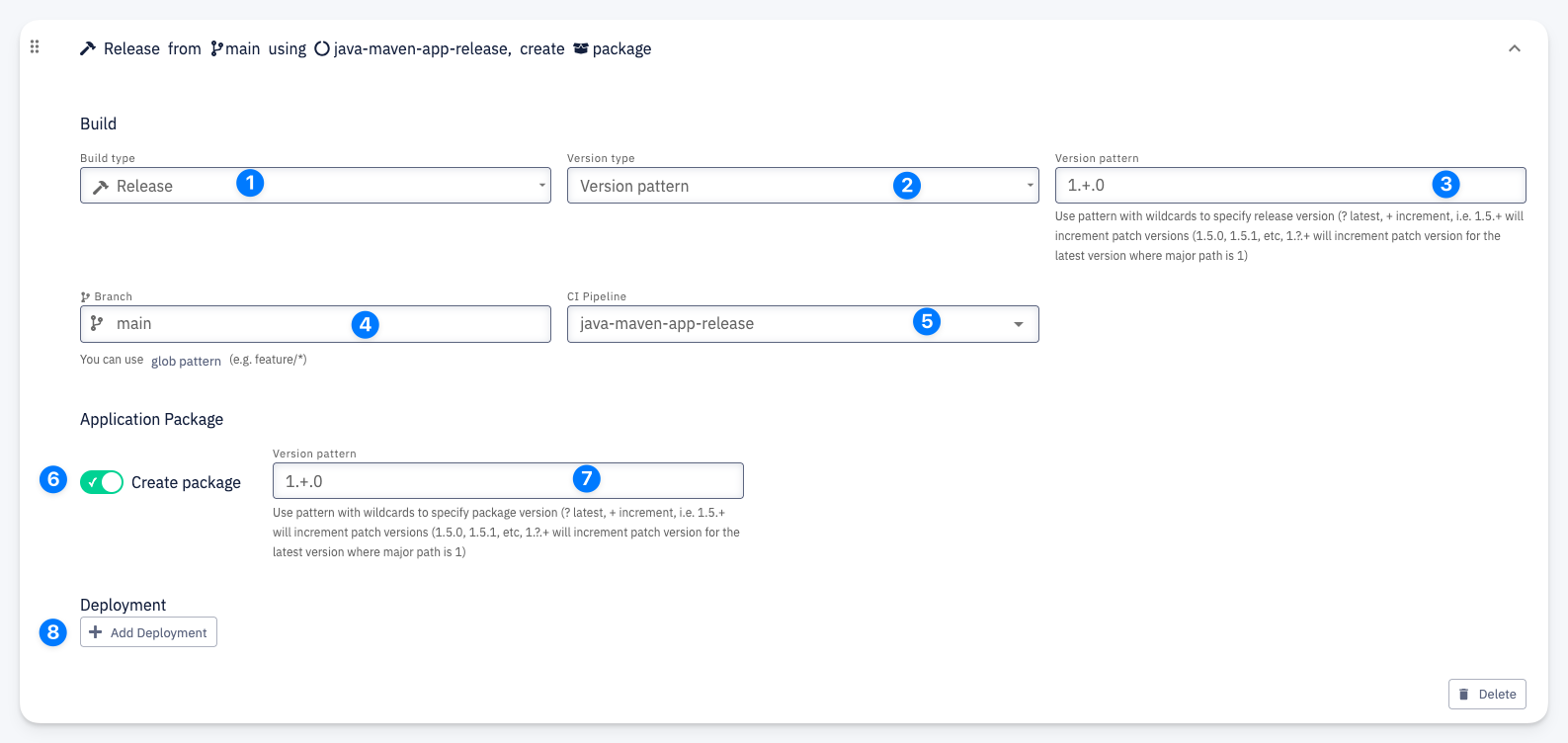
Build
- Build type — set to Release
- Version type — how the version number is determined. Select Version pattern to use wildcards for automatic version calculation.
- Version pattern — pattern with wildcards to specify the release version:
?— latest (resolves to the current latest value)+— increment (auto-increments the version part)- Example:
1.+.0will increment the minor version (1.5.0, 1.6.0, etc.) - Example:
1.?.+will increment the patch version for the latest minor version
- Branch — the branch that triggers the build (e.g.
main). Supports glob patterns (e.g.release/*). - CI Pipeline — the pipeline to execute (e.g.
java-maven-app-release)
Application Package
- Create package — when enabled, an application package is created after a successful build
- Version pattern — the version pattern for the application package (same wildcard syntax as the build version)
Deployment
- Deployment — optionally deploy after a successful build. Click + Add Deployment to configure a target environment.