Template Configuration
The Template Configuration tab defines the dynamic form that developers see when creating a new Library from this template. Each property becomes a form field in the library creation dialog.
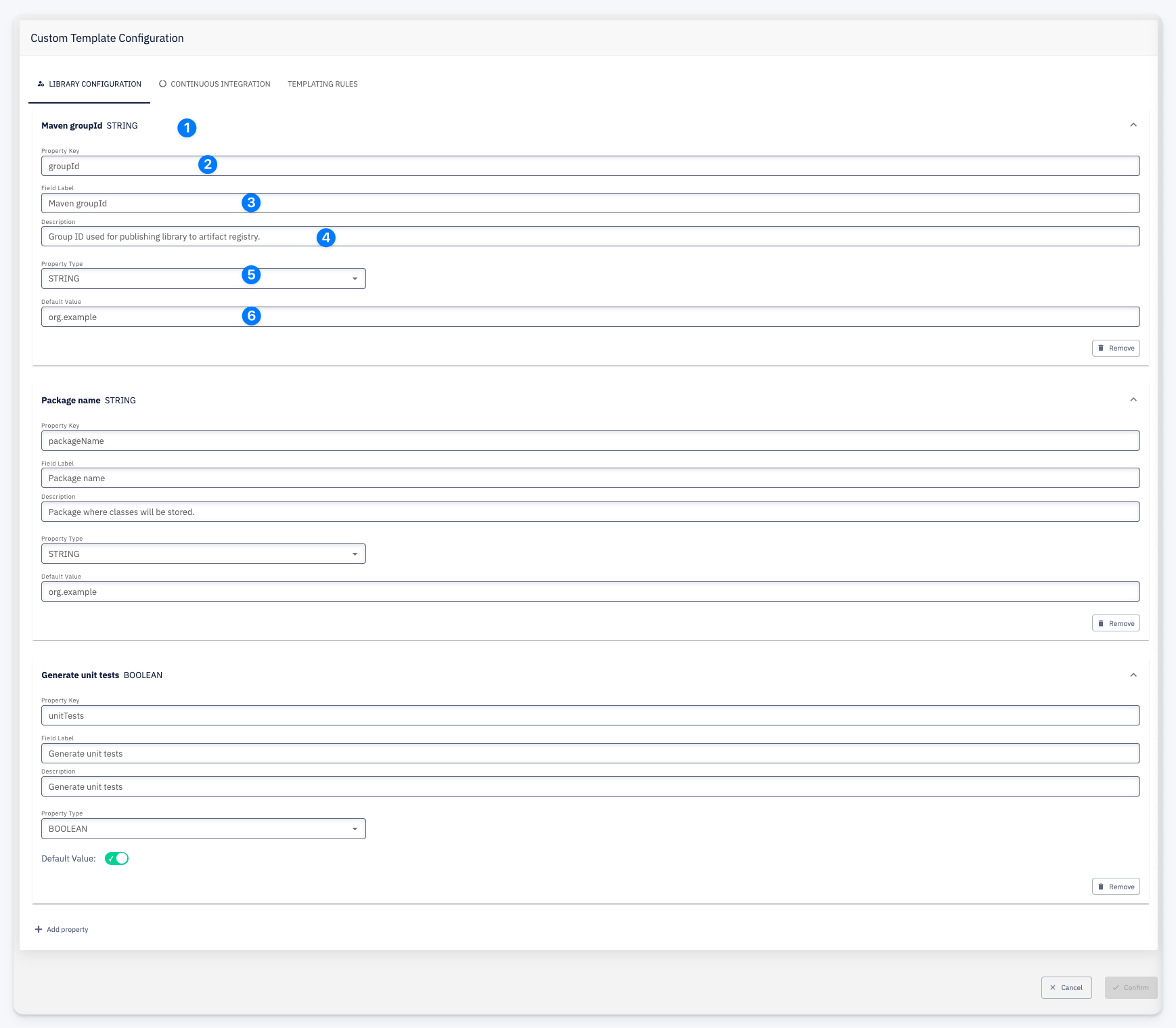
Each property is configured with the following fields:
| # | Field | Description |
|---|---|---|
| 1 | Property Name + Type | The property name and its data type shown as a header |
| 2 | Property Key | The technical identifier used in template expressions |
| 3 | Field Label | The human-readable label shown to the developer in the form |
| 4 | Description | Help text shown alongside the form field |
| 5 | Property Type | Data type: STRING, BOOLEAN, INTEGER, or LIST |
| 6 | Default Value | The pre-filled value when the form is opened |
For LIST type properties, define the selectable options using + Add option.
Use + Add property at the bottom to add a new configuration property. Each property can be removed individually with the Remove button.