Synchronize Agent Gateway
Started automatically by CodeNOW (the job is Requested by CodeNOW) whenever a data plane of the account reports a change — an MCP server added or removed, a data plane deleted, or the gateway installed or uninstalled. It brings the MCP server registrations in the account's Agent Gateway in line with the current state of the data planes, so agents always see the right MCP servers. In the job list it appears as Sync Agent Gateway.
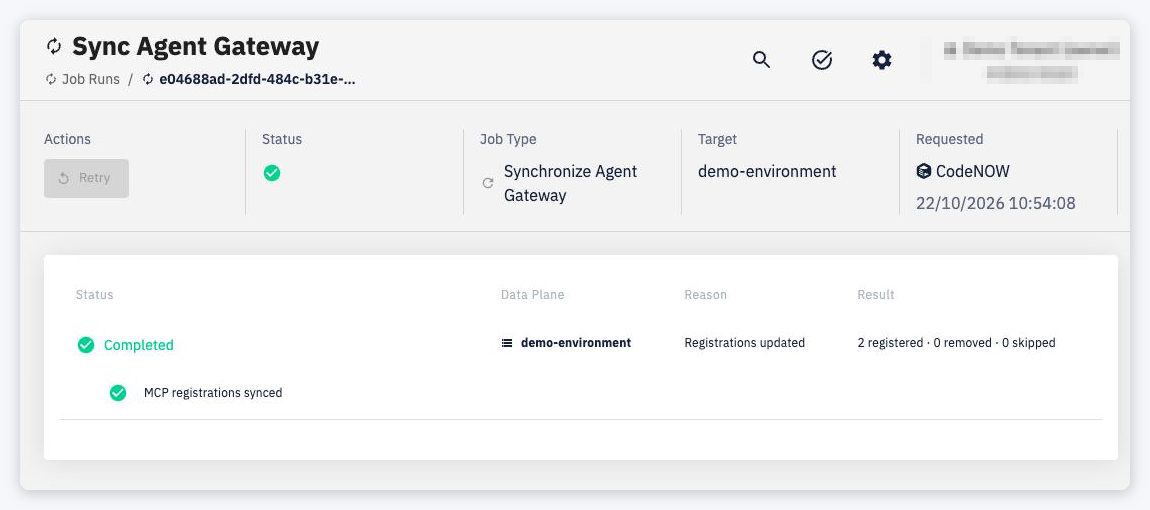
The job has a single phase, MCP registrations synced. The detail lists the processed data plane with:
- Status — the state of the synchronization
- Data Plane — the data plane (environment) that triggered the synchronization
- Reason — what happened — Registrations updated or Registrations deleted
- Result — how many MCP registrations were registered, removed and skipped
Things to know
- Only one synchronization runs for an account at a time. Changes made while one is running are collected and handled by a single follow-up job.
- The job is visible to account owners and admins.
- If the synchronization fails, it can be retried from the job detail.