Update Service Account
Triggered when a service account is changed — its owner is changed, its permissions are edited, or it is switched between Follow team and Custom permissions. The job applies the change and propagates it everywhere the service account is used.
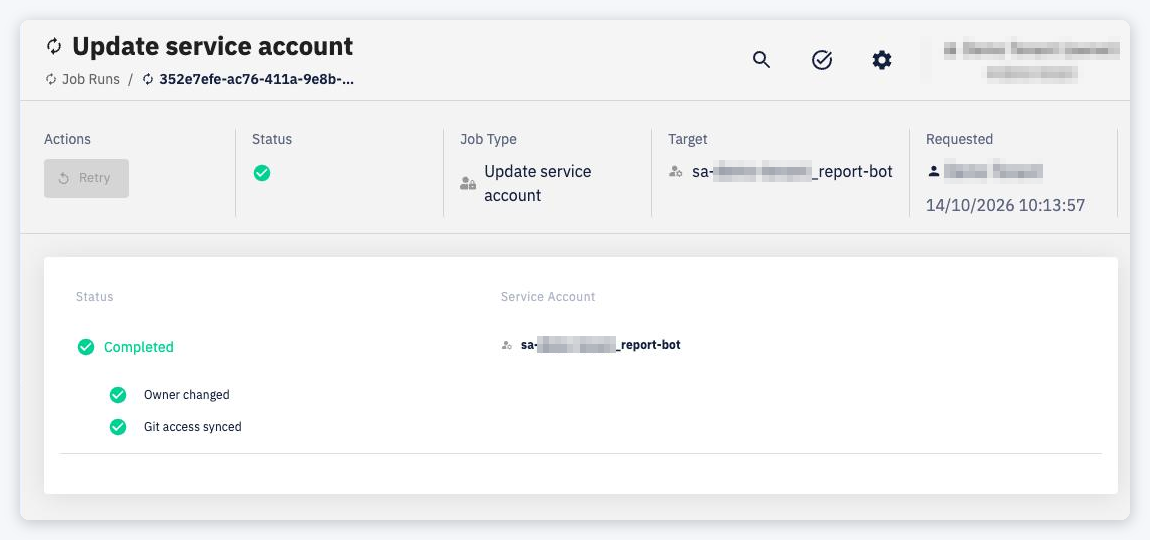
The header links to the Service Account being updated. The detail shows a card with the Status of each phase and the Service Account:
- Change owner (or Check the service account when the owner does not change) — sets the new owner and validates the service account
- Update permissions — applies each permission change; failed resources are listed under the phase
- Update environment and cluster roles — propagates the permissions to environments and clusters
- Switch to Follow team / Custom — only when the permission mode changes
- Sync Git access — updates the service account's access to Git repositories
Phases with nothing to do are skipped.
Things to know
- If Change owner or the mode switch fails, the job stops. The other phases continue even if a single permission or resource fails, and the job reports what failed.
- Only one update of a service account can run at a time. A new change is rejected while the previous job is still running — wait for it to finish (or retry it if it failed).
- A failed job can be retried from the job detail.