Delete Agent
To delete an agent, open the agent detail and select Choose Action › Delete.
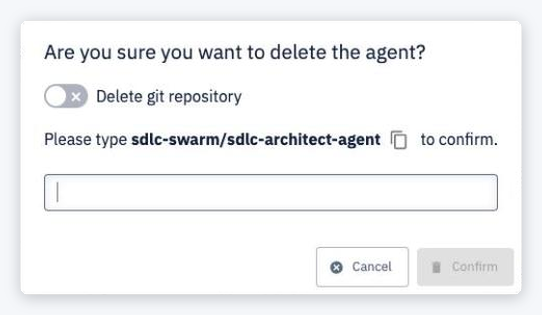
The dialog Are you sure you want to delete the agent? offers:
- Delete git repository — also permanently delete the agent's Git repository.
- To confirm, type
<agent swarm>/<agent>and click Confirm.
An agent that is part of a currently deployed swarm cannot be deleted (Agent is part of a currently deployed swarm and cannot be deleted.).
warning
Deleting an agent is permanent and cannot be undone. Its service-account token is released when the agent leaves the swarm.