Configuration Detail
The Configuration Detail page shows the configuration of all agents for one version interval and target environment. Open it from the Deployment Configurations card of the agent swarm detail.
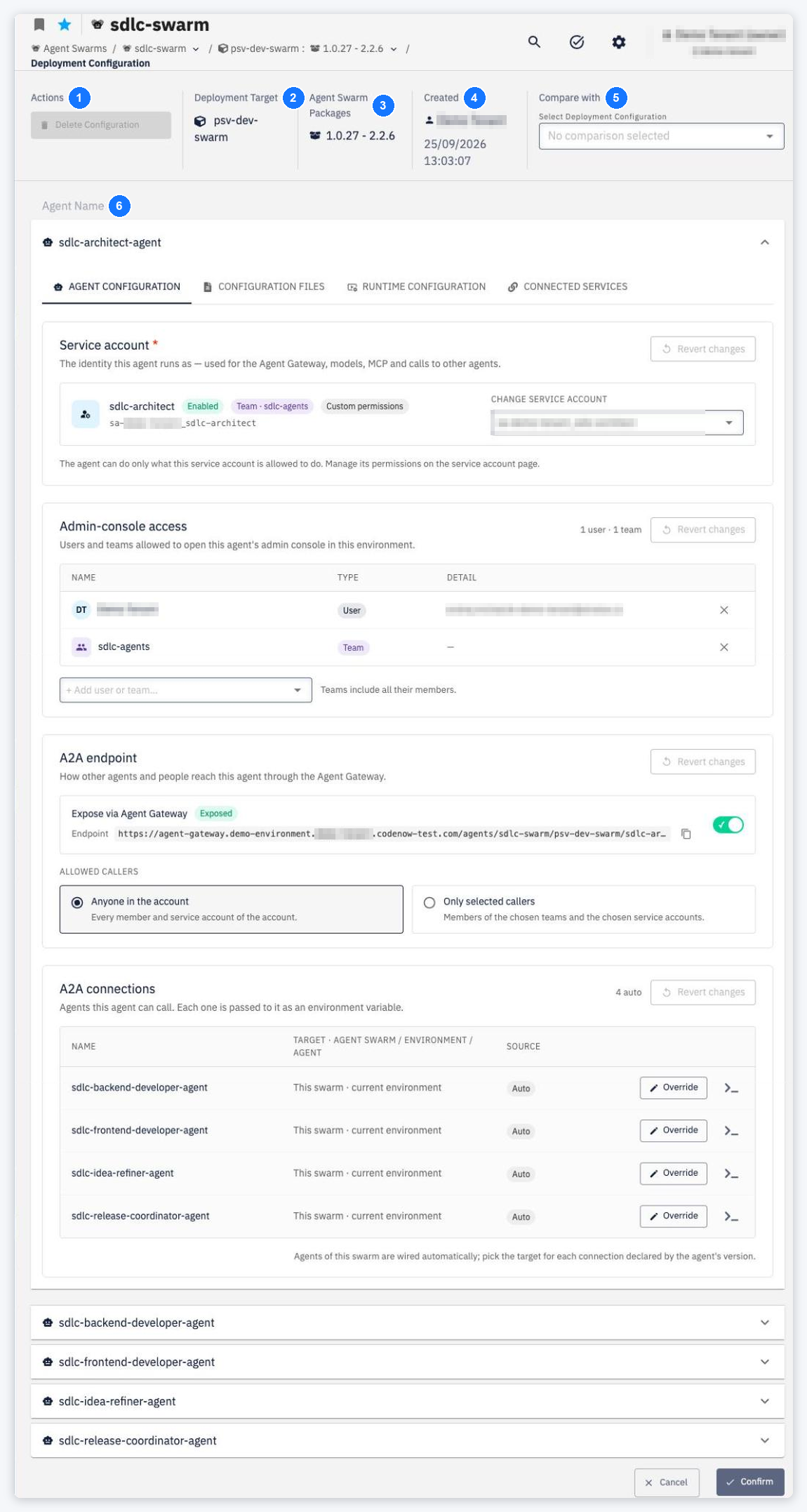
- Delete Configuration — removes the configuration (only when it is not used by an active deployment).
- Deployment Target — the environment the configuration applies to.
- Agent Swarm Packages — the version interval the configuration covers.
- Created — who created the configuration and when.
- Compare with — select another configuration to compare (see below).
- Agents — every agent with its tabs AGENT CONFIGURATION, CONFIGURATION FILES, RUNTIME CONFIGURATION and CONNECTED SERVICES.
Edit the values and click Confirm. Without the permission to edit, the controls are disabled (You don't have the necessary rights to save this configuration.).
Compare with
Select another configuration in Compare with (Select Deployment Configuration; when creating, Environment and Agent swarm version — without an environment you compare with that version's defaults).
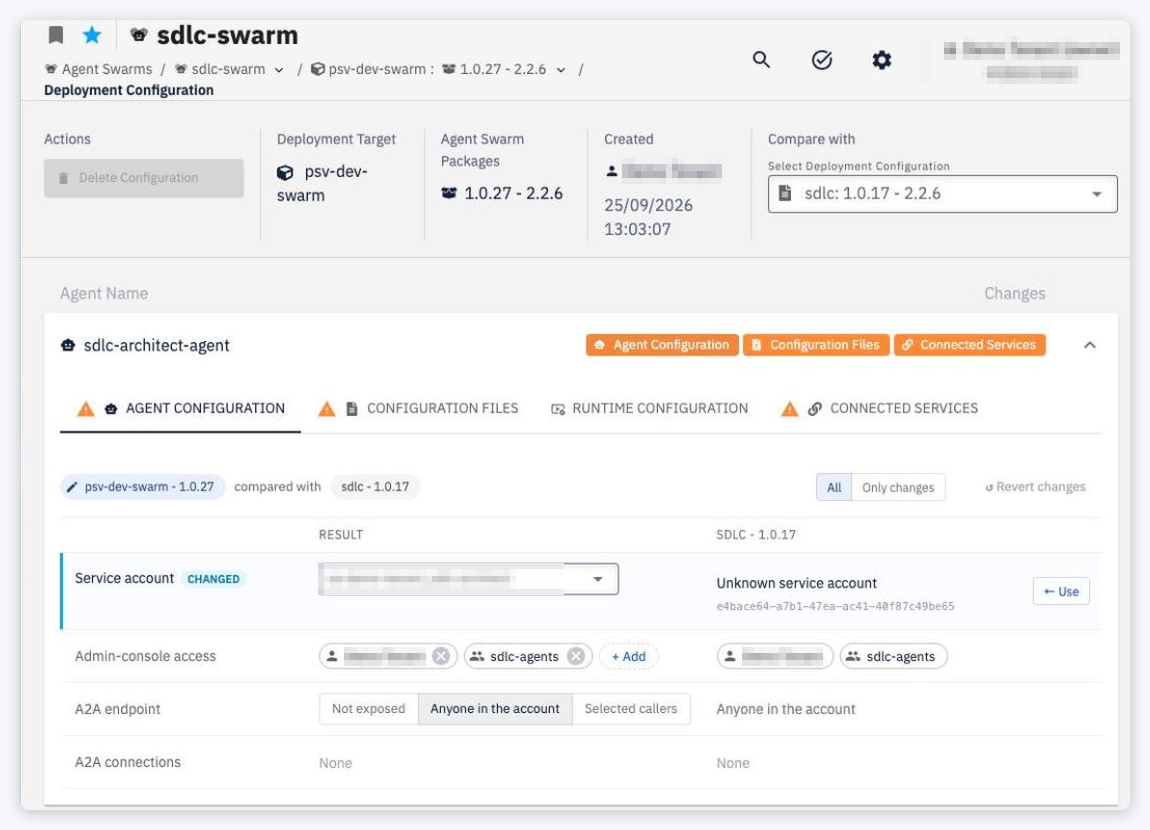
- The agent list (Agent Name | Changes) marks each agent with orange buttons for the areas that differ — Agent Configuration, Configuration Files, Runtime Configuration, Connected Services — or with ADDED / REMOVED. Click a button to jump to that tab.
- The top bar shows both sides (<environment> - <version> compared with <other>), the toggle All | Only changes and Revert changes.
- The table compares the Result (what you are editing) with the compared configuration. Changed rows are marked CHANGED, ONLY IN RESULT or ONLY IN <COMPARED>; ← Use copies the compared value into the result.
- On AGENT CONFIGURATION the rows are Service account, Admin-console access, A2A endpoint and A2A connections (Required before deploy when a declared connection has no target).
- Configuration files open in the file merge editor: Changes only | Full file, 3-way | 2-way, Fullscreen; the gutter arrow (Use this change) copies a change.